
The fastest WordPress cache choice is usually LiteSpeed Cache on a LiteSpeed server, WP Rocket for simple paid setup, or FlyingPress for lean performance tuning. A site should not pick a cache plugin by popularity alone. The best option depends on hosting, theme weight, traffic spikes, database load, and whether the site uses WooCommerce.
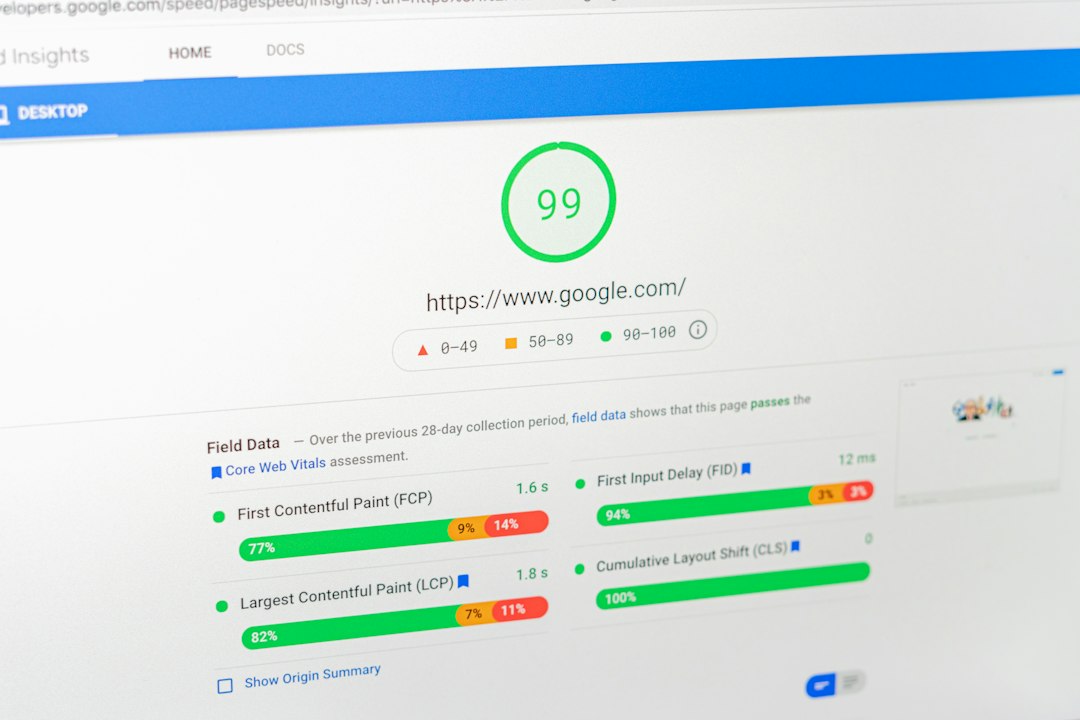
TLDR: For raw speed, LiteSpeed Cache often wins when the server runs LiteSpeed or OpenLiteSpeed. For most nontechnical site owners, WP Rocket cuts setup time and can improve Core Web Vitals in minutes. In one small store test, switching from no cache to page caching, preload, delayed JavaScript, and image optimization reduced Largest Contentful Paint from 4.1 seconds to 1.8 seconds and raised mobile PageSpeed from 48 to 86. A blog with 120 posts may see an even bigger gain because cached HTML removes repeated PHP and database work.
Why WordPress Caching Matters
WordPress builds pages from PHP, MySQL queries, theme files, plugins, scripts, and images. That is a lot of work for every visit. A cache solution stores ready-made results, so the server sends pages faster.
A good cache setup can improve:
- Time to First Byte: the delay before the browser receives data.
- Largest Contentful Paint: how fast the main content appears.
- Server load: fewer repeated database requests.
- Conversion rate: faster pages usually keep more visitors.
- Crawl efficiency: search bots can fetch pages faster.
The catch is that cache plugins can also break layouts, carts, forms, sliders, and tracking scripts. One bad JavaScript delay rule can add two hours of debugging to a task that should have taken five minutes.
1. LiteSpeed Cache: Fastest on LiteSpeed Hosting
LiteSpeed Cache is often the fastest WordPress cache solution when paired with a LiteSpeed web server. It uses server-level page caching, which is usually quicker than plugin-only caching. It also includes image optimization, CSS and JavaScript tools, database cleanup, browser cache settings, and QUIC.cloud CDN support.
Best for: websites hosted on LiteSpeed or OpenLiteSpeed servers.
Strengths:
- Excellent full-page caching at server level.
- Strong WooCommerce cache controls.
- Built-in image compression and WebP conversion.
- Free plugin with many premium-style features.
- Works well with QUIC.cloud for global delivery.
Weak spots: The settings panel can feel crowded. New admins may switch on too many options at once, then wonder why the menu, checkout, or mobile view breaks.
2. WP Rocket: Best Paid Cache Plugin for Ease
WP Rocket is popular because it works well without making the user fight every checkbox. It enables page caching, cache preloading, browser caching, GZIP compression, lazy loading, database cleanup, and file optimization.
Best for: businesses, blogs, and marketing sites that need fast wins without deep technical setup.
Strengths:
- Simple setup with clear controls.
- Good compatibility with many hosts and themes.
- Useful delay JavaScript feature.
- Strong documentation and support.
- Works well with CDN services.
Weak spots: It is not free. Also, sites with heavy ad scripts, page builders, or custom checkout flows may still need manual exclusions.
3. FlyingPress: Lean, Fast, and Modern
FlyingPress has gained attention because it focuses on practical speed gains. It handles page caching, CSS optimization, JavaScript delay, font optimization, lazy rendering, image lazy loading, and cache preloading. It pairs well with FlyingCDN, though it can also work with other CDN providers.
Best for: performance-focused publishers, affiliate sites, and lean business sites.
Strengths:
- Clean interface with fewer confusing options.
- Strong JavaScript delay controls.
- Helpful font optimization.
- Good results on mobile speed tests.
- Solid handling of heavy content pages.
Weak spots: It costs money, and some advanced users may want more granular controls. Honestly, it feels like certain plugins hide too much when something breaks and the excluded script list becomes guesswork.
4. W3 Total Cache: Powerful but Fussy
W3 Total Cache remains one of the most complete WordPress cache plugins. It supports page cache, object cache, database cache, browser cache, minification, CDN integration, and fragment caching in some setups.
Best for: developers, agencies, and technical site managers.
Strengths:
- Deep control over caching layers.
- Supports Redis and Memcached.
- Good CDN compatibility.
- Can suit complex sites when carefully configured.
Weak spots: The interface can overwhelm beginners. A wrong minify setting may break styling, and database cache can slow sites on weak shared hosting.
5. Cache Enabler: Lightweight and Simple
Cache Enabler is a lightweight plugin from KeyCDN. It creates static HTML files and serves them quickly. It does not try to be an all-in-one performance suite.
Best for: small blogs, brochure sites, and users who want fewer moving parts.
Strengths:
- Very easy to set up.
- Low overhead.
- Works well with Autoptimize or a CDN.
- Good choice for static content sites.
Weak spots: It lacks many built-in tools found in larger plugins. Image optimization, script delay, and database cleanup need separate solutions.
6. WP Super Cache: Free and Reliable
WP Super Cache comes from Automattic, the company behind WordPress.com. It creates static HTML files and serves them instead of heavier WordPress-generated pages.
Best for: basic blogs and low-budget sites.
Strengths:
- Free and stable.
- Simple caching modes.
- Good for sites with mostly public content.
- Backed by a trusted WordPress company.
Weak spots: It is not the strongest option for aggressive Core Web Vitals work. It also lacks the polished performance extras found in premium competitors.
7. Cloudflare APO: Edge Caching for WordPress
Cloudflare Automatic Platform Optimization, often called APO, caches WordPress pages at Cloudflare’s edge network. This means visitors receive cached content from a nearby data center instead of always hitting the origin server.
Best for: global websites, media sites, and stores with visitors from many countries.
Strengths:
- Fast global page delivery.
- Lower origin server load.
- Works with many cache plugins.
- Great for traffic spikes.
Weak spots: It needs careful setup with carts, logged-in users, memberships, and custom cookies.
Image not found in postmetaBest Cache Plugin by Use Case
- Fastest on LiteSpeed hosting: LiteSpeed Cache.
- Best paid all-rounder: WP Rocket.
- Best for speed tuning: FlyingPress.
- Best free simple option: Cache Enabler or WP Super Cache.
- Best for technical control: W3 Total Cache.
- Best global add-on: Cloudflare APO.
Extra Speed Features That Matter
Page caching is only one part of WordPress speed. The fastest sites usually combine several layers:
- Object caching: Redis or Memcached reduces repeated database queries.
- Opcode caching: OPcache helps PHP run faster.
- Image optimization: WebP or AVIF can cut image weight by 25% to 60%.
- Critical CSS: key styles load earlier.
- Delayed JavaScript: chat widgets, analytics, and ads wait until needed.
- CDN delivery: static files load from closer servers.
How to Choose the Fastest Option
A site owner should test before settling on a plugin. The right process is simple:
- Back up the site.
- Measure speed with PageSpeed Insights, WebPageTest, or GTmetrix.
- Install one cache solution at a time.
- Enable page cache first.
- Add CSS and JavaScript optimization slowly.
- Retest mobile and desktop scores.
- Check forms, menus, checkout, search, and logged-in areas.
For many sites, the best combination is server-level caching, Redis object cache, optimized images, and a CDN. A cache plugin alone cannot save a bloated theme with 90 scripts and 8MB hero images.
FAQ
What is the fastest WordPress cache plugin?
LiteSpeed Cache is often the fastest on LiteSpeed servers. On other hosting, WP Rocket and FlyingPress are strong choices.
Is a paid cache plugin worth it?
Yes, for many business sites. Paid plugins like WP Rocket or FlyingPress save setup time and include features that often require several free plugins.
Can caching break a WordPress site?
Yes. Minified CSS, delayed JavaScript, and aggressive page cache rules can break menus, forms, popups, carts, and maps. Changes should be tested carefully.
Does WooCommerce need special cache settings?
Yes. Cart, checkout, account pages, and fragments need exclusions or special handling. Most leading cache plugins include WooCommerce rules.
Should a site use both a cache plugin and Cloudflare?
Often, yes. The plugin handles WordPress-level caching and file optimization. Cloudflare handles CDN delivery, security, and edge caching.
What gives the biggest speed boost?
Full-page caching usually gives the fastest visible gain. After that, image compression, JavaScript delay, Redis object cache, and CDN delivery can add major improvements.