
Put every account into one clear system first. Then add tools, roles, calendars, and approvals. That is the secret. Not magic. Not caffeine. Though caffeine helps.
TLDR: Use one social media hub, one content calendar, and clear permissions for every person on the team. For example, a five-person bakery team managing Instagram, TikTok, Facebook, and Pinterest can cut posting time from 10 hours a week to 4 hours with a shared calendar and approval flow. In many teams, simple role rules reduce posting mistakes by 30% to 50%. Plan weekly, batch content, review monthly.
Start with a simple account map
Before you post anything, list every social media account you manage. Yes, even that old Pinterest account from 2018. It counts.
Create a simple table with these columns:
- Platform: Instagram, TikTok, LinkedIn, Facebook, X, YouTube, Pinterest.
- Account name: Use the exact handle.
- Owner: The person responsible for it.
- Goal: Sales, awareness, support, hiring, traffic.
- Login method: Direct login, Meta Business Suite, Google account, team tool.
- Posting frequency: Daily, weekly, twice a week.
- Content type: Reels, carousels, posts, Shorts, stories, polls.
This map keeps everyone sane. It also stops the classic question: “Wait, who has the TikTok password?”
One thing the login method column doesn’t capture on its own: if your team logs into several accounts on the same platform from the same shared device or browser, those accounts can end up looking connected to each other, even with strong passwords and 2FA in place. This matters most on mobile-first platforms like Instagram and TikTok, where the app reads device-level signals a password manager never touches.
Multilogin cloud phone is one option built around this specific problem. For mobile apps, it runs each account on its own cloud phone, a real Android device hosted remotely rather than a spoofed one, so the device signals the platform reads are genuine and stay tied to that one account. For web-based platforms, it does the same with isolated browser profiles instead, each with its own cookies and fingerprint. It’s mainly useful for teams and agencies managing more accounts than they’d comfortably run from one shared phone or laptop, since that’s the point where shared-device linking actually becomes a risk rather than a theoretical one. There’s a free plan with no time limit if you want to try it on a couple of accounts before deciding it’s worth building into the workflow.

Build a workflow that does not hurt your brain
A good workflow shows what happens first, second, and third. Keep it boring. Boring systems save time.
Use this basic flow:
- Idea: Add content ideas to one list.
- Draft: Write the caption or script.
- Create: Design the image, video, or graphic.
- Review: One person checks brand, facts, and tone.
- Approve: A manager says yes or no.
- Schedule: Add it to the publishing tool.
- Track: Review results after posting.
Do not skip review. That is how typos reach 40,000 people before breakfast.
Honestly, it feels like social media tools enjoy hiding the approval button behind three tiny menus. So write your approval rules outside the tool too. Put them in a shared doc. Make them impossible to miss.
Choose tools by job, not by hype
You do not need twelve tools. You need the right few.
Use a social media scheduler for publishing and queue planning. Popular options include Buffer, Hootsuite, Later, Sprout Social, Planable, and Meta Business Suite. Pick one that supports the platforms you use most.
Use a project board for content production. Trello, Asana, ClickUp, Notion, or Monday can all work. The tool matters less than the habit.
Use cloud storage for files. Google Drive, Dropbox, or OneDrive keeps images, videos, logos, and brand files in one place.
Use a design tool for quick edits. Canva, Adobe Express, Figma, or professional Adobe apps can help your team make consistent posts.
Use reporting tools for analytics. Native platform analytics are fine for small teams. Larger teams may want Looker Studio, Sprout Social, DashThis, or platform exports.
The catch is that some tools add friction. A post that takes 20 seconds to duplicate in one app may take two minutes in another. Test the boring stuff before you pay. Duplicate a post. Tag a teammate. Export a report. Schedule a Reel. Small delays stack up fast.
Set permissions like a grown up
Permissions are not exciting. Neither is a hacked account. Pick your pain.
Never give everyone full admin access. Use roles. Keep it tight.
- Admin: Can manage billing, users, settings, and security. Use for owners only.
- Manager: Can approve posts, view reports, and assign work.
- Creator: Can draft posts and upload assets.
- Approver: Can approve or reject content.
- Analyst: Can view reports but cannot publish.
Use two-factor authentication on every account. No exceptions. Use a password manager such as 1Password, Bitwarden, or Dashlane. Do not send passwords in chat. Please. Future you is begging.
Remove access when people leave. Do it the same day. Create a monthly permission check. It takes 10 minutes and can save a full-blown panic.
Plan content in buckets
Content planning gets easier when you stop starting from a blank page. Use content buckets. They are repeatable themes.
Try these:
- Education: Tips, how-tos, quick lessons.
- Proof: Reviews, results, case studies.
- Personality: Team moments, memes, behind the scenes.
- Promotion: Offers, launches, product posts.
- Community: User content, comments, questions, polls.
A simple weekly mix could look like this:
- Monday: Educational carousel.
- Tuesday: Short video tip.
- Wednesday: Customer review.
- Thursday: Behind the scenes post.
- Friday: Offer or product feature.
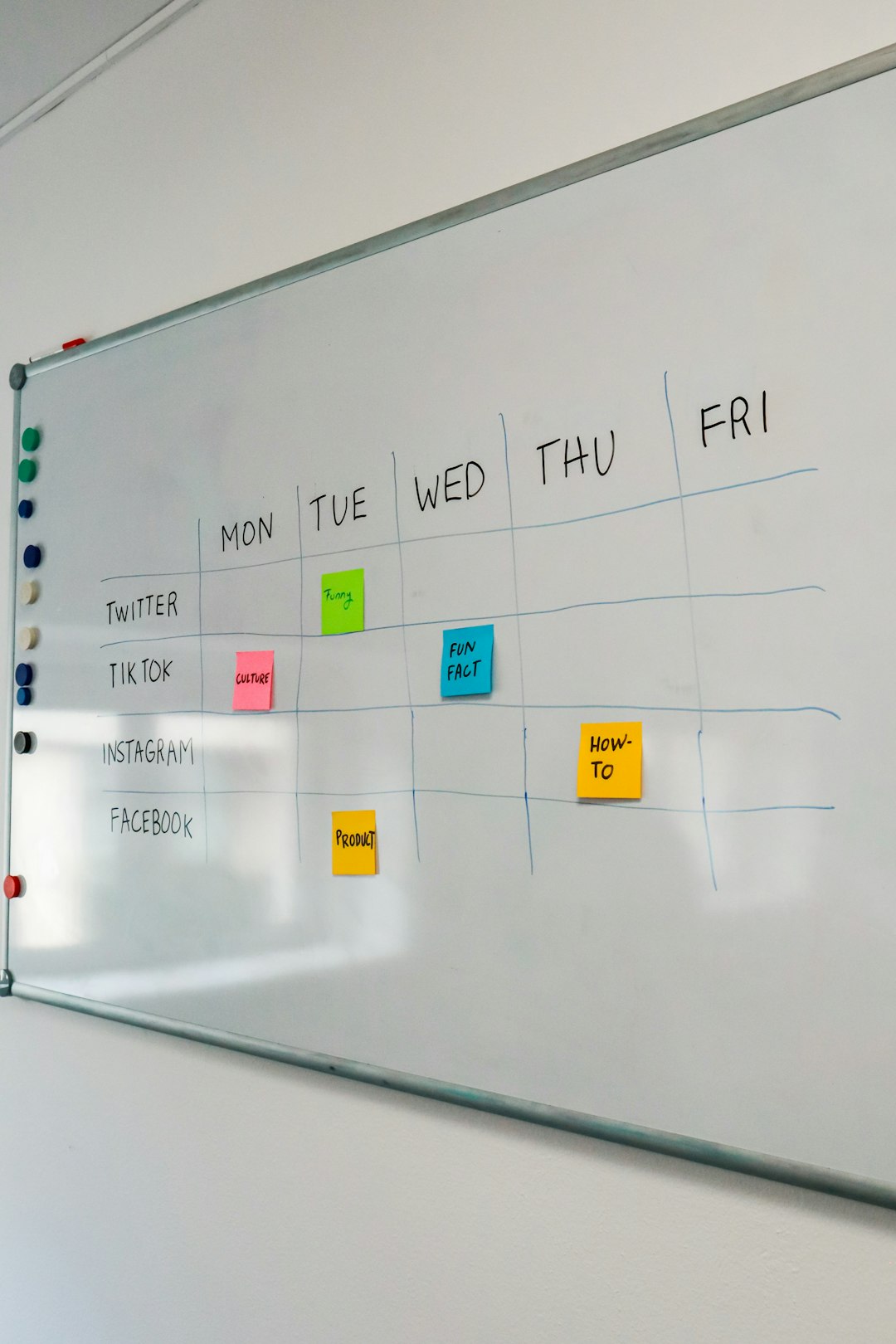
Do not post the same thing everywhere without editing it. A polished LinkedIn post may feel odd on TikTok. A TikTok trend may look strange on LinkedIn. Same idea, different outfit.
Use a content calendar that people actually open
Your calendar should show four things fast:
- What is posting?
- Where is it posting?
- Who owns it?
- What is the status?
Use simple status labels:
- Idea
- Drafting
- Designing
- Needs review
- Approved
- Scheduled
- Published
Color helps. Use one color per platform. Pink for Instagram. Blue for LinkedIn. Red for YouTube. Green for TikTok if you like chaos. Fine. Your system, your circus.
Batch your work
Switching tasks wastes energy. Batch similar work together.
Try this weekly rhythm:
- Monday: Review analytics and pick priorities.
- Tuesday: Write captions and scripts.
- Wednesday: Create visuals and videos.
- Thursday: Review, approve, and schedule.
- Friday: Reply to comments and collect ideas.
This keeps the week tidy. It also stops the 4:58 p.m. panic post. You know the one.
Create a simple approval rule
Not every post needs the same approval path. A meme should not wait three days for legal review. A product claim might need it.
Use approval levels:
- Low risk: Quotes, culture posts, simple tips. One review.
- Medium risk: Product posts, event news, partner mentions. Manager review.
- High risk: Legal claims, pricing, public issues. Manager and legal review.
Set a deadline for approvals. For example, reviewers must respond within 24 hours. If not, the post moves to the next open slot. No mystery. No waiting forever.
Track the numbers that matter
Do not track everything. That way lies spreadsheet sadness.
Pick metrics based on goals:
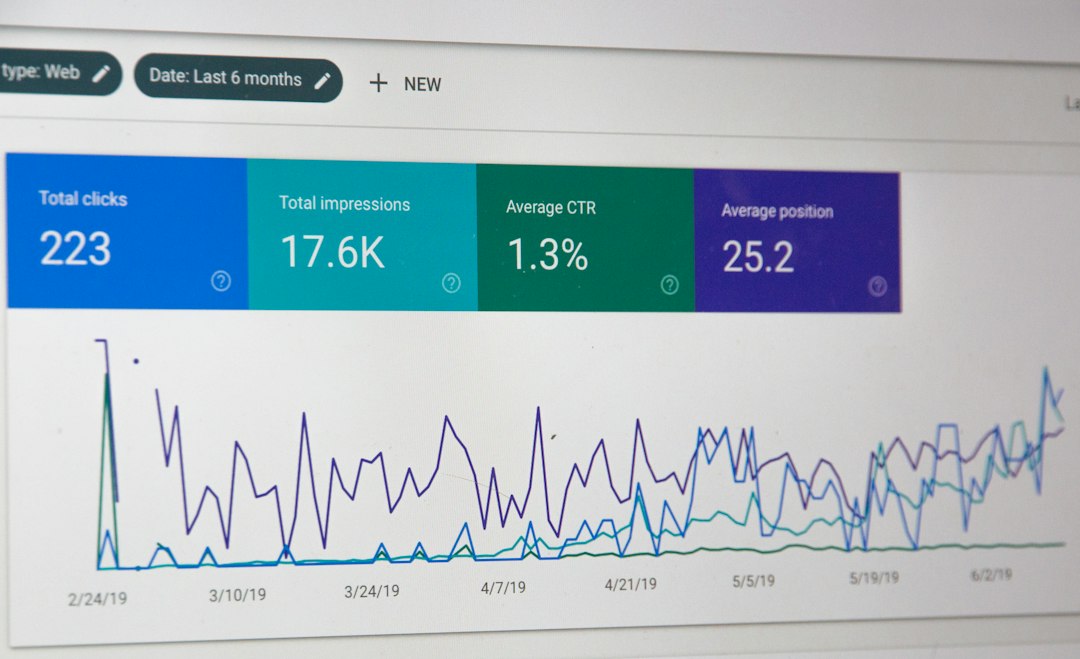
- Awareness: Reach, impressions, follower growth.
- Engagement: Comments, shares, saves, watch time.
- Traffic: Link clicks, click rate, landing page visits.
- Sales: Leads, purchases, revenue, coupon use.
- Support: Response time, resolved messages, common questions.
Review results once a week. Do a deeper review once a month. Ask three questions:
- What worked?
- What flopped?
- What should we try next?
Keep a crisis plan nearby
Bad posts happen. Angry comments happen. Accounts break. Platforms glitch for no reason because apparently peace was too much to ask.
Create a small crisis doc with:
- Who decides the response.
- Who can pause scheduled posts.
- Who replies to comments.
- Approved response templates.
- Emergency contact details.
Also keep screenshots of key settings. If an admin is offline, your team still knows what to do.
Make the system better each month
Your process will not be perfect at first. That is fine. The goal is progress.
Once a month, run a 30-minute cleanup:
- Archive old ideas.
- Update passwords and permissions.
- Check brand assets.
- Review best posts.
- Drop tasks nobody uses.
- Update your calendar rules.
Managing multiple social media accounts is not about doing more. It is about doing the right things in the same order, with fewer surprises. Map your accounts. Assign roles. Plan content. Batch the work. Track the useful numbers. Then take a breath. Your social media circus now has a ringmaster.