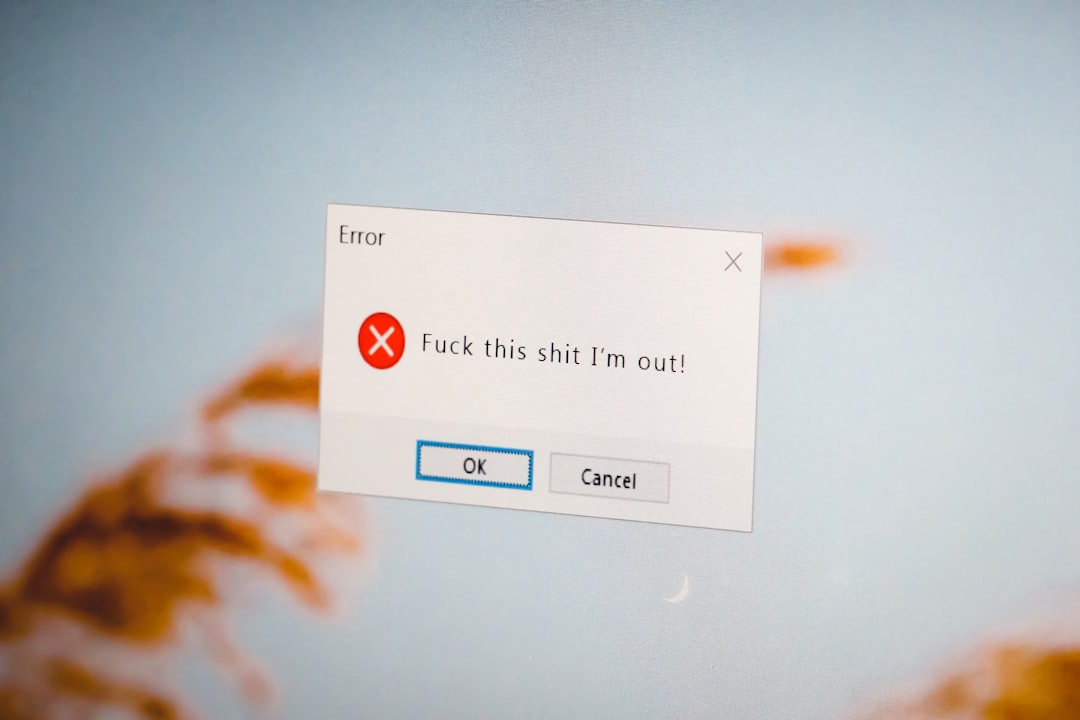
Data can be neat. Data can be messy. Data can also be attacked with a digital paintbrush. That is where data vandalism comes in. It sounds like someone drew a mustache on a spreadsheet. Sometimes, that is not far from the truth.
TLDR: Data vandalism means changing, deleting, adding, or damaging data on purpose. It can happen on websites, databases, maps, reviews, school systems, or company files. It can be silly, harmful, or very expensive. The best defense is strong access control, backups, monitoring, and a team that knows what to watch for.
What Is Data Vandalism?
Data vandalism is the act of damaging data on purpose.
It may mean changing facts. It may mean deleting records. It may mean adding fake information. It may mean making a system show nonsense.
Think of a public wall. If someone sprays rude words on it, that is vandalism. Now think of a database. If someone changes real customer names to “Banana King,” that is data vandalism.
The target is not always the computer itself. The target is the information.
Data vandalism can happen in many places:
- Company databases
- Public websites
- Online maps
- Product reviews
- School records
- Medical systems
- Government portals
- Shared documents
- Forums and wikis
Sometimes it is done as a joke. Sometimes it is revenge. Sometimes it is fraud. Sometimes it is part of a bigger cyberattack.
But even a “small joke” can create a big mess.

Data Vandalism Meaning in Simple Words
Here is the simple meaning.
Data vandalism means someone messes with data so it becomes wrong, missing, fake, or hard to trust.
That is the key part. Trust is damaged.
If people cannot trust the data, they cannot make good choices. A shop may ship items to the wrong address. A hospital may see the wrong patient note. A city map may send drivers into a lake. Not a fun lake trip.
Good data is like a clean recipe. It tells you what to do. Bad data is like a recipe that says, “Add 14 cups of salt and one sock.”
Data vandalism turns useful information into digital soup.
How Is Data Vandalism Different From Hacking?
These words can overlap. But they are not exactly the same.
Hacking is about getting into a system. It may be legal or illegal. Some hackers are hired to find weaknesses. These are often called ethical hackers.
Data vandalism is about damaging or corrupting data. It is usually harmful.
A hacker may break into a system and steal files. That is data theft. If the hacker changes prices, deletes records, or adds fake users, that is data vandalism.
So, hacking can be the door. Data vandalism can be the mess left inside.
Common Types of Data Vandalism
Data vandalism comes in many flavors. None of them taste good.
1. Data Deletion
This is when someone deletes records or files.
For example, an angry employee deletes customer orders before leaving the company. Now the team has no idea what to ship. Panic enters the chat.
2. Data Alteration
This is when someone changes real data to false data.
For example, someone changes bank account numbers. Or they change product prices to $0.01. A TV for one penny sounds fun. The finance team will not laugh.
3. Fake Data Insertion
This is when someone adds fake records.
For example, a bot adds thousands of fake reviews to a product page. The product may look amazing. But the reviews are not real.
4. Defacement
This is like graffiti on a website or public data page.
For example, a company homepage is changed to show rude text. Or a school page shows fake news. It is embarrassing. It can also damage trust.
5. Metadata Damage
Metadata is data about data. It may include dates, tags, authors, file names, and locations.
If metadata is changed, files can become hard to find. Records can look older or newer than they are. This can cause legal and business trouble.
6. Silent Corruption
This is extra sneaky.
The vandal makes small changes over time. A number here. A name there. A tiny date change. No big alarm rings. But after a while, the data becomes unreliable.
Silent corruption is like termites in a wooden chair. It looks fine. Then one day, flop.
Real World Examples of Data Vandalism
Let us look at simple examples. These are easy to imagine. Some are silly. Some are scary.
Example 1: A Wiki Page Gets Messed Up
Open wikis let many people edit pages. This is useful. But it can also invite trouble.
A vandal may change a famous person’s birthday. They may add fake quotes. They may insert rude jokes. The page becomes wrong until someone fixes it.
This is one of the most common examples of data vandalism.
Example 2: Online Map Mischief
Online maps use location data. If that data is changed, users may get bad directions.
A road may look closed when it is open. A fake business may appear. A real business may be moved to the middle of a river.
That sounds funny. But it can hurt deliveries, emergency services, and real customers.

Example 3: Fake Product Reviews
Some people add fake reviews to improve or destroy a product’s rating.
A shop may get 500 five-star reviews from bots. Or a competitor may post angry one-star reviews. Both actions damage the truth.
Customers rely on reviews. If reviews are fake, trust goes poof.
Example 4: School Grade Tampering
A student may try to change grades in a school system.
Maybe a C becomes an A. Maybe absences disappear. Maybe a class record is deleted.
This is not just “clever.” It is serious. It can lead to school discipline, legal issues, and real harm to academic records.
Example 5: Employee Revenge
An employee is upset. They still have access to company tools. They delete files or change customer details.
This is why companies must remove access quickly when someone leaves.
Do not leave the digital front door open. That is how raccoons get into the pantry. Cyber raccoons are worse.
Example 6: Public Data Manipulation
Some public systems show voting locations, health updates, weather alerts, or transport times.
If someone changes that data, people may make bad choices. They may go to the wrong place. They may miss an important warning.
Here, data vandalism can become a public safety issue.
Why Do People Commit Data Vandalism?
People damage data for many reasons. The motive matters. But the result is still bad.
- Revenge: Someone is angry and wants to cause harm.
- Money: Fake data can help with scams or fraud.
- Pranks: Someone thinks it is funny.
- Politics: People may change public data to push a message.
- Competition: A rival may damage reviews, listings, or records.
- Cover ups: Someone may change logs or records to hide a mistake.
- Chaos: Some people just enjoy breaking things.
The “just a prank” excuse does not make it safe. If the data matters, the damage matters.
Why Data Vandalism Is Dangerous
Data vandalism can seem small at first. But small changes can create big problems.
Imagine a warehouse system. One digit is changed in a product code. Now 1,000 boxes go to the wrong place.
Imagine a hospital record. A medicine dose is changed. That can be dangerous.
Imagine a payroll file. Employee bank details are changed. Now salaries go to the wrong accounts.
Here are the main risks:
- Bad decisions: People act on false information.
- Lost money: Errors cost time, refunds, and repairs.
- Lost trust: Customers may leave.
- Legal trouble: Some data must be accurate by law.
- Security gaps: Vandalism may hide a larger attack.
- Operational chaos: Teams waste time fixing the mess.
Data is like the steering wheel of a business. If someone bends it, the whole car swerves.
Signs of Data Vandalism
How do you know if data has been vandalized? Look for strange clues.
- Records disappear without a clear reason.
- Names, dates, or prices look strange.
- Users report wrong information.
- Reports suddenly stop making sense.
- There are many edits from one account.
- Edits happen at odd hours.
- System logs show unusual access.
- Backups do not match live data.
- Reviews or comments appear in huge waves.
One weird record may be a mistake. Many weird records may be a red flag with flashing lights.
How to Prevent Data Vandalism
Good news. You can reduce the risk. You do not need a magic wand. You need smart habits.
1. Use Strong Access Control
Not everyone needs access to everything.
Give people only the access they need. This is called least privilege. It means a person can do their job, but not much more.
For example, a support worker may view customer orders. But they may not need to delete the full customer database.
2. Use Multi Factor Authentication
Passwords get stolen. It happens a lot.
Multi factor authentication, or MFA, adds another step. It may use a code, an app, or a security key.
It is like adding a second lock to the digital door.
3. Keep Backups
Backups are your safety net.
If data is damaged, you can restore a clean copy. But backups must be tested. A backup that does not work is just a bedtime story.
Good backups should be:
- Regular
- Secure
- Encrypted
- Stored in more than one place
- Tested often

4. Track Changes With Logs
Logs show who did what and when.
If someone changes 10,000 records at midnight, logs can help you find the account involved. They also help with investigations.
Keep logs safe. If attackers can edit the logs, they can hide their footprints.
5. Use Version History
Version history lets you roll back changes.
This is very useful for documents, wikis, code, and data tables. If someone adds nonsense, you can return to the last good version.
It is the undo button for real life. Almost.
6. Review Important Edits
Some changes should need approval.
For example, changing bank details, prices, medical notes, or public alerts should not be too easy. Add review steps for high-risk edits.
Yes, it may feel slower. But it is cheaper than cleaning up a disaster.
7. Train Your Team
People are part of security.
Teach staff how to spot strange activity. Teach them not to share passwords. Teach them to report mistakes fast.
A fast report can save hours or days of damage.
8. Remove Old Access
When someone leaves a company, remove their access right away.
This includes email, databases, admin panels, cloud tools, shared folders, and apps.
Old accounts are like spare keys under a doormat. Bad idea.
9. Validate Data
Systems can check data before accepting it.
For example, a phone number field should not accept “pizza dragon.” A price field should not allow negative one million dollars without approval.
Validation catches bad input before it becomes bad data.
10. Monitor for Anomalies
An anomaly is something unusual.
If a user normally edits 5 records a day, but suddenly edits 5,000, that is odd. Monitoring tools can alert your team.
Early alerts can stop a small mess from becoming a giant spaghetti monster.
What to Do If Data Vandalism Happens
Even with good protection, incidents can happen. Stay calm. Do not run in circles with a keyboard over your head.
- Stop the damage. Disable the account or block the attack path.
- Preserve evidence. Save logs and affected files.
- Find the scope. Learn what changed, when, and how.
- Restore clean data. Use backups or version history.
- Notify the right people. This may include managers, customers, or regulators.
- Fix the weakness. Close the gap that allowed the vandalism.
- Review and improve. Learn from the incident.
The goal is not only to clean the mess. The goal is to stop it from happening again.
Final Thoughts
Data vandalism is the digital version of smashing a sign, changing a map, or scribbling lies in a notebook. It harms trust. It wastes time. It can cost money. In serious cases, it can put people at risk.
But prevention is possible. Use strong access rules. Keep backups. Watch for strange changes. Train your team. Review sensitive edits. Remove old accounts.
Most of all, treat data like something valuable. Because it is.
Clean data helps people make smart choices. Vandalized data creates confusion. So guard your data garden. Pull the weeds early. And never let a cyber raccoon near the pantry.