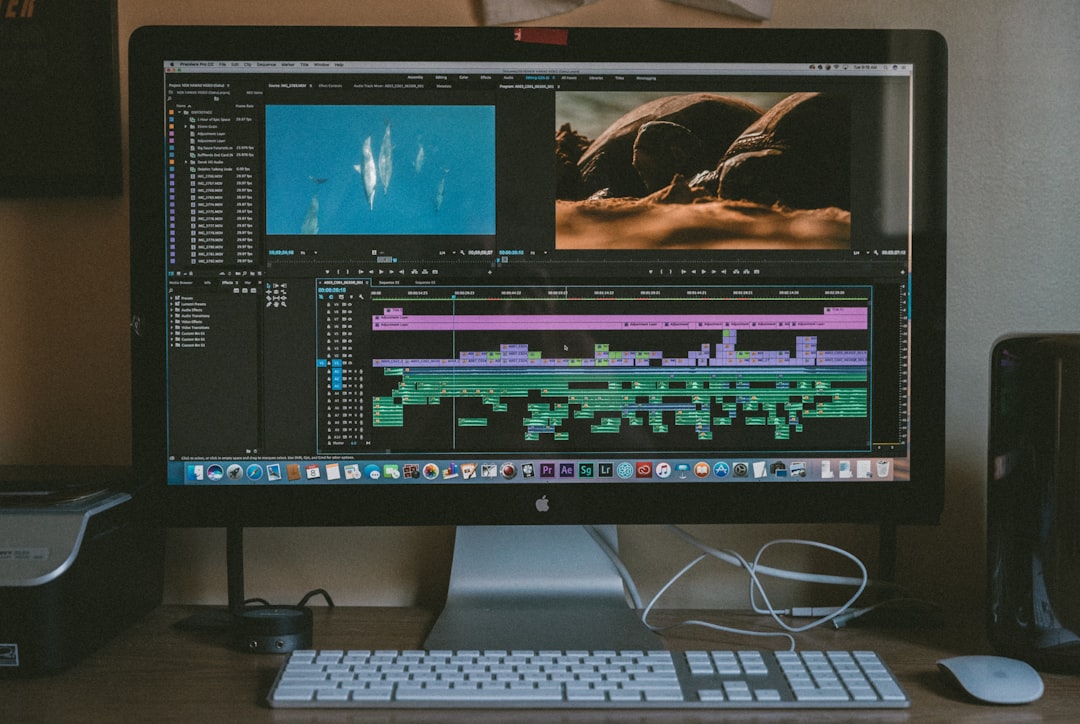
Long form AI video creation has moved from novelty to production workflow. Businesses, educators, creators, and media teams now use AI platforms to generate scripts, voices, avatars, stock footage, edits, captions, and even cinematic scenes that can support videos ranging from ten minutes to more than an hour. While short clips still dominate social media, longer AI-assisted videos are becoming especially valuable for training, marketing, online courses, explainers, webinars, documentaries, and YouTube content.
TLDR: The best platform for long form AI video creation depends on the type of video being produced. Synthesia and HeyGen are strong choices for avatar-led training and business content, while Runway, Luma Dream Machine, and Pika are better suited for cinematic generative visuals. InVideo AI, Descript, Kapwing, and Veed are practical for assembling longer videos with narration, stock footage, captions, and editing tools. Overall, the strongest workflows often combine more than one platform rather than relying on a single tool.
What Makes Long Form AI Video Different?
Long form AI video creation is not simply a longer version of short AI clips. A short social post may only need one idea, one visual style, and a few seconds of motion. A long form video needs structure, continuity, pacing, narration, scene management, visual variety, and editing control. It also needs consistency across introductions, chapters, transitions, callouts, music, and captions.
For that reason, long form AI video platforms can be divided into several categories. Some focus on generative video, where text prompts become moving visuals. Others focus on avatar video, where a digital presenter reads a script. A third group focuses on AI-assisted editing, helping creators produce finished videos from scripts, voiceovers, stock media, screen recordings, or uploaded footage.
Key Features to Compare
When comparing long form AI video tools, several features matter more than flashy demos. A platform may produce impressive five-second clips but struggle with a twenty-minute tutorial. The most important criteria include:
- Maximum video length: Some tools are built for short generations, while others support full presentations or edited videos.
- Script handling: Long form content needs outlines, scene breaks, voiceover timing, and easy revision.
- Visual consistency: Characters, brands, colors, and settings should remain coherent across scenes.
- Voice and avatar quality: For training and corporate content, natural speech and believable presenters are essential.
- Editing control: A strong platform should allow trimming, captions, music, transitions, and scene replacement.
- Export options: Resolution, aspect ratios, subtitle files, and collaboration features can affect professional use.
- Commercial readiness: Licensing, media rights, brand controls, and team features are important for organizations.
Synthesia: Best for Corporate Training and Educational Presentations
Synthesia is one of the most established platforms for AI avatar video. It is especially useful for companies that need long form training modules, onboarding videos, compliance lessons, product explainers, or internal communications. Instead of filming a presenter, teams can type a script, select an avatar, choose a layout, and generate a polished video.
Its strength is not cinematic storytelling but clarity and repeatability. Synthesia works well when the video depends on spoken explanation, slides, bullet points, and branded templates. The platform also supports multiple languages, making it attractive for global teams that need localized versions of the same content.
The main limitation is creative freedom. Avatar videos can feel formal, and visual variety depends on templates, uploaded assets, and scene design. For long form educational or business material, however, Synthesia remains one of the most practical choices.
HeyGen: Best for Avatar Marketing and Personalized Video
HeyGen is another leading avatar-based platform, often praised for its realistic presenters, voice cloning options, and marketing-friendly workflows. It is suitable for explainers, sales videos, internal updates, product walkthroughs, and multilingual content. HeyGen’s avatars and talking-head formats can feel more conversational than traditional slide-based videos.
For long form content, HeyGen performs best when the video is divided into clear sections. A creator might build a twenty-minute product training video from several shorter scenes, each featuring an avatar, supporting graphics, and captions. Its translation and dubbing features are useful for repurposing content across regions.
Like Synthesia, HeyGen is not the ideal tool for fully cinematic scenes or complex visual storytelling. Its value lies in presenter-led video, fast production, and scalable communication.
Runway: Best for Creative Generative Video and Advanced Visuals
Runway is widely recognized as one of the strongest platforms for generative video creation. It offers tools for text-to-video, image-to-video, video editing, background removal, motion control, and visual effects. For long form projects, Runway is best used to create individual cinematic shots that are later assembled in an editor.
This makes Runway appealing for filmmakers, music video creators, agencies, and experimental storytellers. It can generate atmospheric B-roll, surreal transitions, concept scenes, and stylized cinematic visuals. However, long form production requires planning. Since generative clips are usually produced in shorter segments, the creator must manage shot lists, continuity, and editing outside or alongside the platform.

Runway’s biggest advantage is creative flexibility. Its biggest challenge is consistency over time. For a documentary, brand film, or narrative project, it can provide stunning pieces, but those pieces must be directed carefully to become a coherent long form video.
Luma Dream Machine: Best for Realistic Motion and Cinematic Shots
Luma Dream Machine is known for generating high-quality motion from text or images. It is particularly strong for realistic camera movement, atmospheric environments, and visually rich scenes. For creators producing long form videos with cinematic inserts, concept visuals, or dynamic B-roll, it can be a powerful option.
The platform is not primarily a full video editor. Instead, it functions as a visual generation engine. A long form creator might use Luma to create establishing shots, transitions, product mood scenes, or animated sequences, then combine those clips with narration, captions, and editing in another app.
Compared with avatar platforms, Luma offers more visual imagination but less presentation structure. Compared with all-in-one editors, it offers stronger generative imagery but fewer tools for assembling a complete thirty-minute production.
Pika: Best for Fast Creative Clips and Social Style Visuals
Pika is popular for quick AI video generation, stylized effects, and creative experimentation. It can be useful in long form projects when the creator needs short animated moments, visual hooks, transitions, or imaginative cutaways. Its strength is speed and accessibility.
For long form video, Pika is best viewed as a supporting tool rather than a complete production environment. It can help add energy and visual variety to explainers, commentary videos, educational content, or creative essays. However, maintaining a consistent story, character, or visual format over many minutes can be challenging.
Pika is ideal for creators who want to test ideas quickly and generate eye-catching scenes without building a complex production pipeline.
InVideo AI: Best for Script to Complete Video Workflows
InVideo AI is designed for turning prompts and scripts into complete videos with scenes, stock footage, voiceovers, captions, and music. It is particularly useful for YouTube explainers, list videos, marketing content, tutorials, and informational videos. Instead of generating every visual from scratch, it often combines AI scripting with stock media and automated editing.
This approach works well for long form content because many extended videos do not require entirely original visuals. A ten or twenty-minute educational video may need a strong script, relevant footage, clear narration, and smooth pacing. InVideo AI can reduce the time required to assemble that structure.
The limitation is originality. Since stock-based videos can look generic if not customized, creators should revise scripts, replace footage, adjust pacing, and add branded elements. For high-volume content production, however, InVideo AI is one of the more efficient options.
Descript: Best for Editing Long Form Narration and Podcasts
Descript is not mainly a text-to-video generator, but it is one of the most useful AI tools for long form video editing. Its standout feature is text-based editing, where video and audio can be edited by editing the transcript. This is especially valuable for interviews, podcasts, webinars, lectures, and talking-head content.
Descript includes features such as filler word removal, overdub-style voice correction, captions, screen recording, and multitrack editing. For long form creators, these tools can save hours. A one-hour recording can be cleaned, cut, captioned, and repurposed into shorter clips with less manual timeline work.
Descript is best for creators who already have recorded content or long narration. It is less suitable for generating cinematic video from scratch, but excellent for polishing real footage and spoken content.
Kapwing and Veed: Best for Browser Based Editing and Repurposing
Kapwing and Veed both serve creators who need accessible, browser-based video editing with AI features. They support captions, resizing, translation, trimming, templates, screen recording, and social media repurposing. For long form video, they are practical tools for editing webinars, lessons, interviews, promotional videos, and creator content.
These platforms are especially helpful when teams need collaboration and fast turnaround. They may not offer the most advanced generative video models, but they simplify the finishing process. Captions, formatting, clipping, and exporting are essential parts of long form production, and both platforms handle these tasks well.

Which Platform Is Best Overall?
There is no single best long form AI video platform for every case. The right choice depends on the production goal:
- For corporate training: Synthesia is a top choice because of its polished avatar presentations and business features.
- For avatar marketing: HeyGen is strong for personalized, multilingual, presenter-led videos.
- For cinematic AI visuals: Runway and Luma Dream Machine are among the strongest options.
- For fast creative clips: Pika is useful for short, engaging visual inserts.
- For script-to-video production: InVideo AI is practical for informational and YouTube-style videos.
- For editing long recordings: Descript is excellent for podcasts, interviews, and narration-heavy content.
- For captions and browser editing: Kapwing and Veed are convenient finishing tools.
In professional workflows, the best result often comes from combining tools. A team might write a script, record or generate a voiceover, create avatar segments in Synthesia, generate cinematic B-roll in Runway or Luma, edit the full production in Descript, and finalize captions in Veed or Kapwing. Long form AI video creation is increasingly a workflow ecosystem, not a one-click process.
Final Thoughts
Long form AI video creation is becoming more capable, but it still rewards planning. Strong videos need clear outlines, audience awareness, consistent visuals, good pacing, and careful editing. AI can dramatically reduce production time, but it does not remove the need for creative direction.
The best platform depends on whether the video needs a presenter, a cinematic look, an automated stock-based structure, or advanced editing. As AI models improve, long form video production will become more seamless, but the current market already offers powerful options for creators and organizations willing to build the right workflow.
FAQ
What is long form AI video creation?
Long form AI video creation refers to using artificial intelligence to help produce extended videos, usually longer than several minutes. These videos may include AI scripts, avatars, voiceovers, captions, generated visuals, stock footage, and automated editing.
Which AI video platform is best for training videos?
Synthesia is often one of the best choices for training videos because it supports avatar presenters, professional templates, multilingual content, and business-friendly production workflows.
Which platform is best for cinematic AI video?
Runway and Luma Dream Machine are strong options for cinematic AI visuals. They are best used to generate short scenes or B-roll that can be edited into a longer project.
Can AI create a full one-hour video?
AI can assist in creating a one-hour video, but most workflows require multiple steps. A creator may use AI for scripting, voiceover, visuals, editing, captions, and repurposing rather than generating the entire hour in one uninterrupted process.
Are AI-generated videos suitable for brands?
Yes, AI-generated videos can be suitable for brands when they are reviewed carefully, customized with brand assets, and checked for accuracy. Professional results usually require human oversight and editing.
What is the best all-in-one AI video tool?
For script-to-video workflows, InVideo AI is one of the more practical all-in-one options. For avatar-based business videos, Synthesia and HeyGen are stronger choices.
Do long form AI videos need human editing?
In most cases, yes. Human editing helps improve pacing, accuracy, tone, continuity, and visual quality. AI speeds up production, but human judgment usually determines whether the final video feels professional.