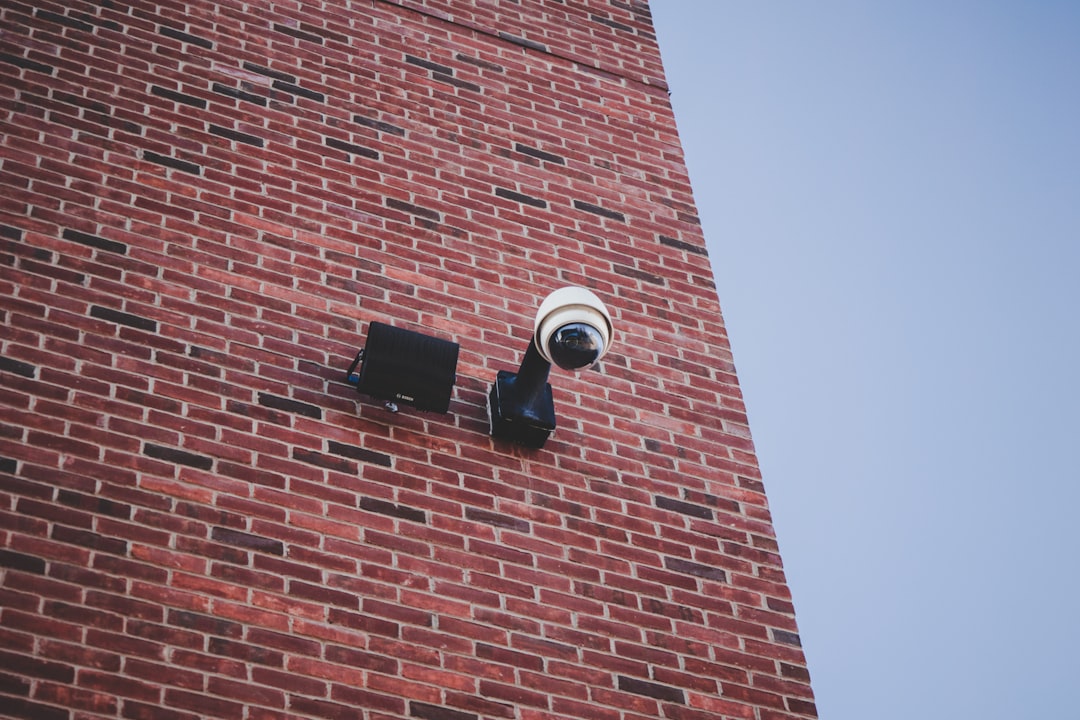
Warehouses are busy, high-stakes environments where inventory, equipment, people, vehicles, and delivery schedules all intersect. A single blind spot can lead to theft, safety incidents, operational delays, or costly disputes. That is why warehouse video monitoring has evolved from simple security cameras into a powerful business tool that supports loss prevention, workplace safety, compliance, and operational efficiency.
TLDR: Warehouse video monitoring helps protect inventory, improve worker safety, and give managers better visibility into daily operations. Modern systems often include HD cameras, motion detection, remote access, analytics, cloud storage, and real-time alerts. Costs vary depending on warehouse size, camera count, storage needs, and whether you choose professional monitoring. The right system should balance security, usability, scalability, and long-term value.
What Is Warehouse Video Monitoring?
Warehouse video monitoring is the use of cameras, recording systems, software, and sometimes live monitoring services to observe and protect warehouse spaces. Unlike basic CCTV setups of the past, today’s systems can do much more than record footage. They can send alerts when motion is detected after hours, identify unusual activity, support remote viewing from a phone, and help managers review incidents quickly.
A well-designed system typically covers key areas such as loading docks, storage aisles, entrances, exits, parking lots, employee zones, receiving areas, and high-value inventory sections. Depending on the business, video monitoring may also include real-time surveillance by security personnel or a third-party monitoring center.

Why Warehouses Need Video Monitoring
Warehouses face a unique security challenge because they often contain large amounts of valuable inventory, multiple access points, temporary workers, delivery drivers, contractors, and fast-moving equipment. Without reliable visibility, small issues can become expensive problems.
Video monitoring helps warehouses:
- Reduce theft and shrinkage by discouraging unauthorized access and internal loss.
- Improve safety by helping identify hazards, unsafe behavior, or accidents involving forklifts and machinery.
- Resolve disputes related to damaged shipments, missing goods, workplace incidents, or delivery errors.
- Support compliance with internal policies, insurance requirements, and industry regulations.
- Increase operational visibility by allowing managers to review workflows, bottlenecks, and productivity issues.
In short, warehouse video monitoring is not just about catching wrongdoing. It is about creating a safer, more transparent, and more accountable working environment.
Key Features to Look For
Choosing a warehouse video monitoring system can be overwhelming because there are many camera types, software options, and pricing models. The best system depends on the size of the warehouse, the value of the inventory, lighting conditions, staffing patterns, and security risks. However, several features are especially important.
1. High-Resolution Video
Clear footage is essential. Low-quality video may show that something happened but fail to identify a person, license plate, label, or item number. For most warehouses, 1080p HD is a practical minimum, while 4K cameras may be useful for entrances, loading docks, cash handling areas, or high-value storage zones.
2. Night Vision and Low-Light Performance
Many thefts and unauthorized activities occur after hours. Warehouses may also have dim aisles, shadowed corners, or outdoor loading areas. Cameras with infrared night vision, wide dynamic range, and strong low-light sensors help maintain visibility even when lighting is poor.
3. Remote Viewing
Remote access allows authorized managers, owners, or security teams to view live or recorded footage from a computer, tablet, or smartphone. This is especially valuable for companies with multiple warehouses or managers who are not always on-site.
4. Motion Detection and Smart Alerts
Modern systems can detect movement and send notifications when activity occurs in restricted areas or outside normal operating hours. Advanced systems may distinguish between people, vehicles, and general motion, reducing false alarms caused by shadows, insects, or weather.
5. Video Analytics
Video analytics can turn cameras into operational intelligence tools. Depending on the platform, analytics may include people counting, line crossing detection, heat mapping, vehicle detection, and loitering alerts. These features can help managers see how space is used and where workflow improvements are needed.
6. Cloud and Local Storage Options
Video footage must be stored somewhere. Some warehouses use local network video recorders, often called NVRs, while others use cloud storage. Many modern systems offer hybrid storage, combining local recording with cloud backup for important clips.
Local storage can be cost-effective and keeps footage on-site, but it may be vulnerable if equipment is stolen or damaged. Cloud storage offers easier remote access and off-site protection, but it usually requires a subscription.
7. Access Control Integration
Video systems become more powerful when integrated with access control. For example, when someone scans a badge at a restricted door, the system can automatically link the access event to matching video footage. This makes investigations faster and more accurate.
8. Audio Capability
Some warehouses use cameras with audio recording or two-way communication. This can be useful at gates, reception points, or delivery entrances. However, audio recording laws vary by location, so businesses should confirm legal requirements before enabling this feature.
Types of Cameras Used in Warehouses
Warehouses often require a mix of camera types to cover different spaces effectively. A single camera model rarely fits every need.
- Dome cameras: Common for indoor areas because they are compact, discreet, and resistant to tampering.
- Bullet cameras: Good for long-distance views, outdoor areas, and visible deterrence.
- PTZ cameras: Pan, tilt, and zoom cameras can cover large areas and focus on details when needed.
- Fisheye cameras: Provide wide-angle or 360-degree views, useful for open spaces and intersections.
- Thermal cameras: Detect heat signatures, making them useful for perimeter security or low-visibility environments.
- License plate recognition cameras: Capture vehicle plate information at gates, yards, and loading areas.
Major Benefits of Warehouse Video Monitoring
Better Loss Prevention
The most obvious benefit is protection against theft. Warehouses may experience external break-ins, employee theft, vendor fraud, or misplaced goods. Visible cameras can discourage theft before it happens, while recorded footage provides evidence when investigation is necessary.
Improved Employee Safety
Warehouses can be dangerous environments. Forklifts, pallet jacks, stacked inventory, conveyor systems, and heavy loads all create risk. Video monitoring helps safety managers identify unsafe practices, review accidents, and improve training. For example, footage may reveal that a forklift route needs better signage or that workers are bypassing required protective equipment.
Faster Incident Investigations
When inventory goes missing or an accident occurs, video footage can provide a timeline. Instead of relying only on memory or conflicting witness statements, managers can review what actually happened. This reduces confusion and helps businesses respond fairly and quickly.
Operational Efficiency
Video monitoring can reveal patterns that are not obvious from reports alone. Managers may notice repeated congestion at certain loading docks, inefficient picking routes, long truck wait times, or delays during shift changes. These insights can lead to better layouts, revised schedules, and improved processes.
Reduced Insurance Risk
Some insurers view video monitoring as a risk-reduction measure. While discounts are not guaranteed, having a documented security system may support claims, reduce liability disputes, and demonstrate that the company takes reasonable precautions.
How Much Does Warehouse Video Monitoring Cost?
The cost of warehouse video monitoring varies widely. A small warehouse may need only a basic camera system, while a large distribution center may require dozens or hundreds of cameras, advanced analytics, redundant storage, and professional monitoring.
Typical cost factors include:
- Number of cameras: More cameras mean higher equipment, installation, and storage costs.
- Camera quality: 4K, thermal, PTZ, and license plate cameras cost more than standard HD cameras.
- Installation complexity: High ceilings, long cable runs, outdoor mounting, and network upgrades increase labor costs.
- Storage duration: Keeping footage for 30, 60, or 90 days requires more storage capacity.
- Cloud subscriptions: Cloud-based systems often charge monthly fees per camera or per storage plan.
- Monitoring services: Live remote monitoring or alarm verification adds ongoing monthly costs.
- Software features: Analytics, access control integration, and reporting tools may require licensing fees.
Estimated Pricing Ranges
For a small warehouse, a basic system may cost $1,500 to $5,000 for equipment and installation. A midsize facility may range from $5,000 to $25,000, depending on camera count and storage needs. Large warehouses or distribution centers can easily exceed $50,000, especially if they require analytics, specialized cameras, or advanced integrations.
Ongoing costs may include cloud storage, software licenses, maintenance, and monitoring. These can range from $20 to $100 or more per camera per month, depending on the provider and service level. Professional live monitoring may add several hundred to several thousand dollars per month.
Cloud vs. On-Premise Systems
One of the biggest decisions is whether to choose a cloud-based system, an on-premise system, or a hybrid approach.
Cloud systems are easy to access remotely, simpler to update, and useful for multi-location businesses. They reduce the need for on-site servers but usually come with recurring subscription fees.
On-premise systems store footage locally on servers or NVRs. They can be more economical over time for large camera counts, but they require maintenance and may be harder to access securely from outside the facility.
Hybrid systems combine both methods. For example, all footage may record locally, while important clips or event-based recordings are saved to the cloud. This approach balances cost, control, and resilience.

Best Practices for Implementation
Installing cameras without a plan can lead to blind spots, unnecessary costs, and poor results. A strong implementation begins with a risk assessment.
- Map critical areas: Identify entrances, exits, docks, high-value inventory, offices, and equipment zones.
- Consider lighting: Test video quality during both day and night conditions.
- Minimize blind spots: Use overlapping coverage where necessary, especially in aisles and corners.
- Set retention policies: Decide how long footage should be stored based on business and legal needs.
- Control access: Limit who can view, export, or delete footage.
- Post signage: Let employees and visitors know video monitoring is in use.
- Review regularly: Reassess camera placement as layouts, inventory, and workflows change.
Privacy and Legal Considerations
Warehouse monitoring must be handled responsibly. Employees should understand where cameras are located and why they are being used. Cameras should generally not be placed in private areas such as restrooms, locker rooms, or break areas where privacy expectations are higher.
Businesses should create a written video surveillance policy that explains the purpose of monitoring, who can access footage, how long recordings are stored, and how footage may be used. If audio recording is enabled, additional consent requirements may apply depending on local laws.
How to Choose the Right System
The best warehouse video monitoring system is not necessarily the most expensive one. It is the system that fits your risks, budget, operations, and growth plans. Before purchasing, ask vendors for a site assessment and a detailed proposal showing camera placement, storage assumptions, software fees, and maintenance terms.
Look for a system that is scalable, meaning you can add cameras or features later. Also consider ease of use. If footage is difficult to search or alerts are confusing, the system will not deliver its full value.
Important questions to ask include:
- How many days of footage will be stored?
- Can managers view video remotely and securely?
- What happens during an internet outage?
- Are software updates included?
- Can the system integrate with alarms or access control?
- Who is responsible for maintenance and troubleshooting?
Final Thoughts
Warehouse video monitoring is an investment in security, safety, and operational control. With the right cameras, storage strategy, analytics, and policies, a warehouse can reduce losses, respond faster to incidents, and gain useful insight into daily activity. Costs can vary significantly, but the value often extends far beyond theft prevention.
For the best results, approach video monitoring as a long-term system rather than a one-time camera purchase. Plan carefully, prioritize high-risk areas, choose technology that can grow with your business, and review performance regularly. A well-designed system can become one of the most useful tools in your warehouse management strategy.