The safest insider risk program combines insider threat detection with DLP and IAM, because each tool catches a different failure mode. DLP controls where sensitive data can go. IAM controls who can access systems. Insider threat detection watches what trusted users actually do after access is granted. Treating one as a full replacement for the others leaves serious gaps.
TLDR: There are two main insider threats: malicious insiders who abuse access on purpose, and negligent or compromised insiders who create risk through mistakes or stolen accounts. For example, a finance employee downloading 4,000 payroll records at 2:13 a.m. is not just a DLP issue; it is a behavior issue. In many security teams, 60% to 80% of insider alerts come from careless actions rather than planned theft. The best defense is layered: IAM limits access, DLP protects data movement, and insider threat detection spots suspicious behavior patterns.
Why insider risk is hard to control
Insider threats are difficult because insiders already have trust. They use valid accounts. They know where files live. They understand internal processes. A firewall will not help much when the activity comes from a known employee using approved tools.
That is why many teams confuse insider threat detection with DLP or IAM. The tools overlap, but they do not solve the same problem. A user may have proper access under IAM rules and may not trigger a DLP block, yet still behave in a risky way. That is where detection matters.
The two main types of insider threats
1. Malicious insiders act with intent. They may steal intellectual property before resigning. They may sell customer data. They may sabotage systems after a dispute. These cases are less common, but the damage can be severe.
Common signals include:
- Large data downloads outside normal working hours
- Access to projects unrelated to the user’s role
- Use of personal cloud storage or private email
- Attempts to disable logs or bypass controls
- Searches for files with terms such as salary, contract, or source code
2. Negligent or compromised insiders create risk without clear intent to cause harm. An employee may send a spreadsheet to the wrong vendor. A contractor may reuse a weak password. A manager may approve broad access because it is faster than checking. It drives me crazy that these “small” mistakes often create bigger exposure than the dramatic insider plots people imagine.
This second group also includes accounts taken over by attackers. From the system’s point of view, the login is valid. The behavior is not. A sales user suddenly pulling engineering documents from another country should raise suspicion, even if the password and MFA check passed.
Insider threat detection: what it does well
Insider threat detection focuses on behavior. It asks: “Is this activity normal for this person, role, device, location, and time?” It looks across events rather than judging one action in isolation.
Strong insider threat detection may analyze:
- File access volume and file sensitivity
- Login times, locations, and device changes
- Use of removable media
- Email forwarding and attachment patterns
- Printing, exports, and database queries
- Account changes before termination dates
- Unusual collaboration with external parties
The value is context. A developer downloading a large code repository may be normal. A departing HR generalist doing the same thing is not. Insider threat detection helps separate routine work from high-risk behavior.
The catch is that behavior tools can create noisy alerts if they are poorly tuned. Expect to waste time on false positives if the system does not understand roles, teams, and normal work cycles. A payroll run, legal discovery project, or product release can look suspicious unless the tool has enough context.
DLP: useful, but not enough by itself
Data loss prevention tools are built to stop sensitive data from leaving approved locations. DLP can inspect content, classify files, and block movement through email, web uploads, USB devices, printers, or cloud apps.
DLP is very useful for clear policy enforcement. For example, it can stop an employee from emailing a spreadsheet with 10,000 credit card numbers to a personal Gmail account. It can warn users before they share confidential files externally. It can also create an audit trail for regulators.
But DLP has limits. It often struggles with intent. It may block harmless activity and miss harmful activity that uses approved paths. A user can copy sensitive points into a new document, take screenshots, photograph a screen, or move data in small batches. DLP sees data movement. It does not always understand behavior.
Image not found in postmeta
IAM: access control is not behavior control
Identity and access management is the foundation. IAM makes sure users are who they claim to be and only receive the access they need. It includes single sign-on, MFA, role-based access control, privileged access management, joiner mover leaver workflows, and access reviews.
Good IAM reduces insider risk by limiting blast radius. If an employee does not need access to customer records, they should not have it. If an administrator needs elevated rights for one hour, those rights should expire after one hour. Basic, strict access hygiene prevents many avoidable incidents.
Still, IAM cannot answer every question. If a user has approved access to a database, IAM will usually permit use. It may not know whether the user queried 50 records or 500,000. It may not know whether that user is leaving the company next week. IAM answers “Can this person access this?” Insider threat detection asks “Should this behavior worry us?”
Insider threat detection vs DLP vs IAM
The difference is easiest to see through purpose:
- IAM: Controls identity, authentication, and authorization.
- DLP: Controls sensitive data movement and sharing.
- Insider threat detection: Detects abnormal or risky behavior by trusted users.
Here is a practical case. A product manager has legitimate access to roadmap files. IAM allows it. The files do not contain regulated data, so DLP may not block downloads. But the manager downloads every roadmap, customer pricing model, and partner contract two days before resigning. Insider threat detection is the tool most likely to connect those dots.
That does not make DLP or IAM weak. It means they work at different layers. IAM prevents excessive access. DLP prevents certain data leaks. Detection spots misuse after access exists.
When DLP or IAM can be an alternative
In smaller organizations, budget and staffing may force choices. If you must choose, start with IAM. Weak identity controls create too many open doors. MFA, least privilege, access reviews, and removal of unused accounts give fast risk reduction.
DLP comes next when the business handles regulated or highly sensitive data. Healthcare, finance, legal, defense, and SaaS companies with customer data should not rely only on user judgment. DLP can prevent obvious mistakes and support compliance obligations.
Insider threat detection becomes more valuable as the company grows, data spreads, and user behavior gets harder to inspect manually. It is especially useful when the business has valuable intellectual property, frequent contractor access, high employee turnover, or privileged administrators.
What a mature program looks like
A serious insider risk program does not start with surveillance for its own sake. It starts with clear policy, legal review, privacy safeguards, and defined response steps. Monitoring should be proportionate. Employees should know that company systems are protected and audited.
A balanced program includes:
- Least privilege access: Give users only what they need.
- Strong authentication: Require MFA and secure device checks.
- Data classification: Know which files matter most.
- DLP policies: Block risky transfers of sensitive data.
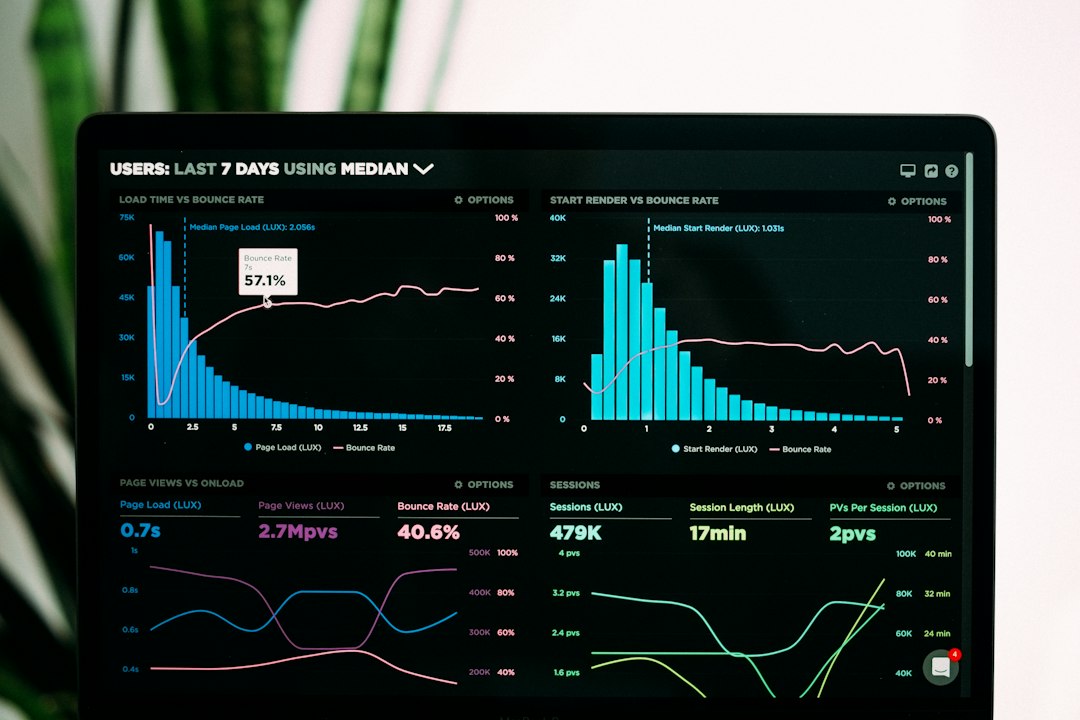
- Behavior analytics: Detect unusual access, movement, and timing.
- Human review: Let trained analysts assess context before action.
- Response playbooks: Define steps for HR, legal, security, and management.
How to reduce false alarms
False alarms damage trust. They also waste analyst time. To reduce them, tune alerts by role and department. Compare engineers to engineers, not to accountants. Account for travel, release cycles, audits, and seasonal work.
Use severity tiers. A single unusual download may deserve a low alert. A large download plus personal email forwarding plus resignation notice deserves urgent review. Serious programs avoid panic over one signal. They look for patterns.
Also, do not ignore user friction. If a DLP prompt adds 12 seconds to every approved file share, users will find shortcuts. If access requests take four days, managers will ask for broad standing access. Security tools must be firm, but they must also fit real work.
The practical recommendation
Use IAM as the base, DLP as the data guardrail, and insider threat detection as the behavior layer. None is a perfect substitute for the others. Together, they reduce both accidental exposure and intentional abuse.
For most organizations, the right order is clear. Fix identity first. Classify and protect sensitive data next. Then add behavior detection where risk is highest. That approach is practical, defensible, and far safer than hoping one tool will catch every insider threat.