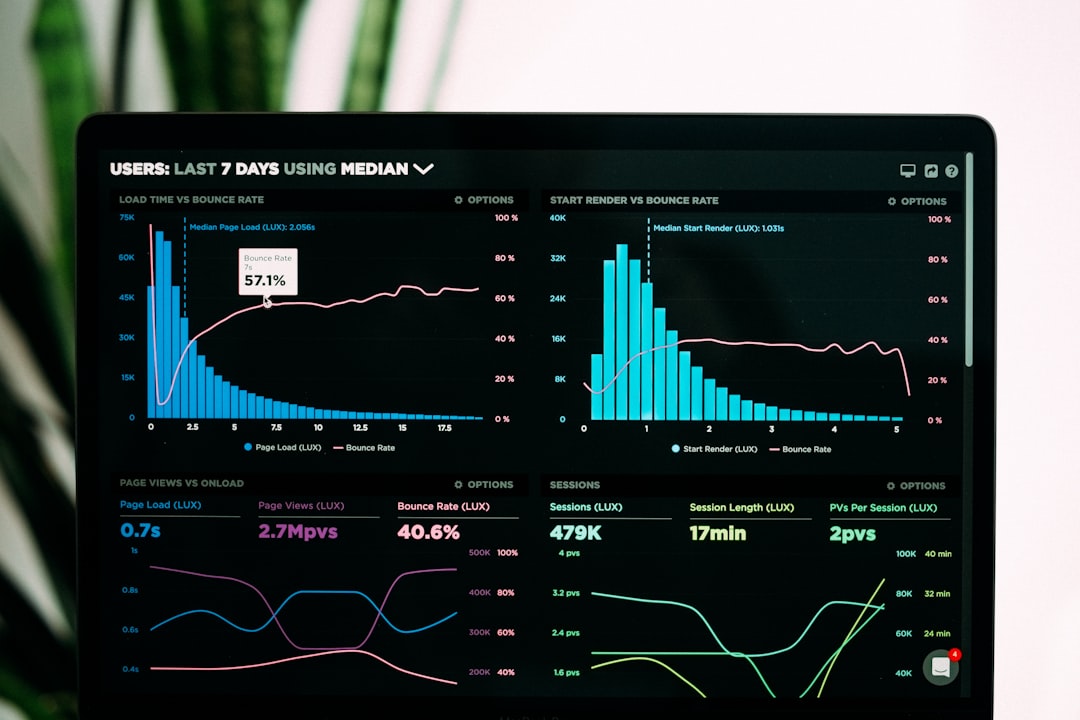
Good SEO reporting turns search data into business decisions, not a pile of charts. Clients need to know what changed, why it changed, what it means for revenue, and what should happen next. A serious report should connect rankings, traffic, leads, sales, and content work in one clear chain.
TLDR: SEO reports should explain performance, not just display metrics. For example, if organic sessions rose by 32% but conversions fell by 11%, the real story may be poor landing page intent or weak calls to action. A useful client report would flag the issue, show the affected pages, and recommend testing copy, forms, or internal links. The goal is simple: turn search data into actions the client understands and approves.
Start With the Business Question
Before opening Google Search Console, GA4, or a rank tracker, ask one thing: What does the client need to decide? That question keeps the report focused.
A local service business may care about calls, bookings, and map visibility. An ecommerce brand may care about product page revenue and category rankings. A SaaS company may care about demo requests, trial signups, and qualified organic traffic.
SEO data only matters when tied to the client’s goals. Reporting “organic traffic increased” is weak. Reporting “organic traffic from non-branded commercial queries increased by 18%, adding 46 more demo page visits” is much stronger.
- For executives: show revenue, leads, cost savings, and pipeline impact.
- For marketing teams: show content performance, rankings, traffic quality, and conversion paths.
- For technical teams: show crawl issues, indexation gaps, site speed, and structured data errors.

Use a Clear Reporting Structure
Clients should not have to hunt for the point. Honestly, it feels like some SEO dashboards are built to hide the answer behind 19 widgets. A good report should open with the answer first, then support it with data.
Use this structure:
- Executive summary: what changed, why it matters, and what comes next.
- Performance snapshot: traffic, rankings, conversions, revenue, and visibility.
- Key wins: pages, queries, or campaigns that improved.
- Key risks: traffic drops, indexation issues, lost rankings, or conversion problems.
- Recommendations: specific actions, owners, urgency, and expected impact.
This format makes the report usable. It also stops meetings from turning into metric-by-metric walkthroughs that waste everyone’s time.
Choose Metrics That Explain Performance
Not every SEO metric belongs in a client report. Some numbers are useful for diagnosis but poor for decision-making. Keep the main report clean. Move raw exports and technical detail into an appendix if needed.
Core SEO reporting metrics include:
- Organic sessions: shows total search traffic trend.
- Organic conversions: proves whether search traffic drives business outcomes.
- Conversion rate: reveals traffic quality and landing page strength.
- Clicks and impressions: show search visibility from Google Search Console.
- Average position: useful when grouped by query type or page group.
- Click through rate: helps assess titles, meta descriptions, and intent match.
- Revenue or lead value: connects SEO to financial impact.
- Indexed pages: helps catch technical problems early.
Avoid vanity reporting. A rise in impressions can look good while clicks stay flat. A ranking gain can mean little if the keyword has no commercial value. A traffic increase can be poor news if it comes from irrelevant informational queries.
Separate Branded and Non-Branded Search
This one matters. Branded search often reflects demand created by other channels. Non-branded search is usually a better signal of SEO growth.
If branded clicks rise by 40% after a paid campaign or PR push, SEO may not deserve the full credit. If non-branded clicks rise by 22% after new content and internal linking work, that is a stronger SEO result.
Report both. Keep them separate. Clients trust reports that make this distinction because it shows discipline. It also prevents inflated claims.
Turn Search Console Data Into Insight
Google Search Console is one of the best sources for SEO reporting, but raw query data can be messy. Expect to waste time cleaning exports if naming rules are poor or filters are not saved. Still, the insight is worth it.
Look for patterns such as:
- High impressions, low clicks: improve title tags and meta descriptions.
- Positions 4 to 10: strengthen content, links, and topical coverage.
- Falling clicks with stable rankings: check SERP changes, ads, or search demand.
- Pages with many queries but weak conversion: review intent and page layout.
- Pages losing impressions: check freshness, competitors, and indexation.
Do not just say, “CTR is down.” Say, “CTR on the pricing guide dropped from 4.8% to 3.1% while impressions stayed stable, so we recommend rewriting the title to include pricing intent and adding the current year.”

Connect Rankings to Pages and Revenue
Rank tracking is useful, but only when it connects to outcomes. A client does not need a list of 500 keywords. They need to know which rankings affected traffic and sales.
Group rankings by intent:
- Commercial: “best accounting software for small business”
- Transactional: “buy office chairs online”
- Local: “emergency plumber near me”
- Informational: “how to reduce payroll errors”
Then connect each group to landing pages and conversions. This gives the client a much clearer view of performance. It also helps prioritize work.
For example, a blog post may bring 7,000 visits and only 3 leads. A service page may bring 900 visits and 38 leads. The smaller traffic number may be far more valuable.
Explain Drops Without Guesswork
Traffic drops happen. The report should handle them calmly and with evidence.
Check the basics first:
- Was tracking changed?
- Did seasonality affect demand?
- Did rankings fall for key pages?
- Did Google index fewer pages?
- Did a competitor gain better content or links?
- Did paid ads, SERP features, or AI summaries reduce clicks?
Use plain language. Avoid dramatic claims unless the data supports them. A serious report might say, “Organic sessions fell by 14% month over month. The main loss came from three blog posts that previously ranked in positions 2 to 4 and now rank in positions 6 to 9. We recommend refreshing those posts, adding expert quotes, and improving internal links from related service pages.”
Make Recommendations Specific
This is where many SEO reports fail. They show the problem but do not say what to do next.
Weak recommendation: “Improve content.”
Better recommendation: “Update the ‘CRM pricing comparison’ page by adding a pricing table, competitor comparison section, FAQ schema, and three internal links from high authority blog posts. Target completion: two weeks. Expected impact: improved rankings for mid-funnel pricing queries.”
Strong recommendations include:
- Action: what needs to be done.
- Reason: why it matters.
- Owner: who should handle it.
- Priority: high, medium, or low.
- Expected result: what should improve.

Use Visuals, But Keep Them Honest
Charts help clients understand trends quickly. Use them with care. Do not crop axes to make small gains look huge. Do not compare periods that make performance look better than it is.
Good visuals include:
- Organic traffic trend by month.
- Conversions from organic search.
- Top landing pages by leads or revenue.
- Branded versus non-branded clicks.
- Keyword movement by intent group.
- Technical health trend over time.
Every chart should answer a question. If it does not, remove it.
End With the Next 30 Days
The final section should make the path clear. Clients want confidence. They also want to know what they are paying for next.
List the top priorities for the next month. Keep it short. Three to five actions are enough for most reports.
Example next steps:
- Refresh four declining blog posts that lost a combined 1,200 clicks.
- Rewrite title tags for 12 high-impression pages with CTR below 2%.
- Improve internal links to two service pages that rank in positions 5 to 8.
- Fix indexation issues affecting 37 product pages.
- Review conversion paths on landing pages with traffic growth but weak lead volume.
SEO reporting works best when it is direct, measured, and tied to action. Show what happened. Explain why it happened. State what should happen next. That is how search data becomes clear performance insight instead of another unread PDF.