Track search visibility by grouping keywords, recording ranks over time, comparing competitors, and tagging every SERP feature that can steal or boost clicks. A useful search ranking report is not a spreadsheet of positions. It is a visibility control panel that shows where traffic can grow, where rankings are slipping, and where Google is changing the rules of the results page.
TLDR: Search ranking reports help you see how your keywords move, how competitors gain ground, and which SERP features affect click share. For example, a B2B software site might hold position 3 for “project tracking tool,” yet lose 18% of organic clicks after a featured snippet appears above it. Track rankings weekly, segment keywords by intent, and report visibility score rather than only average rank. This turns rank tracking from a vanity metric into a practical SEO warning system.
Why ranking reports need more than keyword positions
Old-school rank tracking was simple: keyword, position, URL. That is no longer enough. A page can rank first and still lose clicks to ads, maps, videos, “People also ask,” shopping modules, or AI-style summaries. A page can rank fifth and still gain traffic if the query has weak SERP noise and strong intent.
The best search ranking reports answer three questions:
- Are our priority keywords gaining or losing visibility?
- Which competitors are taking space from us?
- Which SERP features are changing click behavior?
That last question matters more than many teams admit. Honestly, it feels like some rank trackers still act as if ten blue links are the whole search page. They are not. If your reports ignore SERP features, they miss half the story.
Start with keyword groups, not one giant list
A raw list of 2,000 keywords creates noise. Group them first. This makes trends easier to spot and makes reports useful for product, content, and leadership teams.
Useful keyword segments include:
- Brand terms: company name, product names, branded comparisons.
- Commercial terms: “best,” “pricing,” “software,” “agency,” “reviews.”
- Informational terms: guides, definitions, how to topics.
- Local terms: city, region, “near me,” service area queries.
- Product or category terms: pages tied directly to revenue.
- Competitor comparisons: “alternative to,” “vs,” “competitor name pricing.”
Once grouped, report by visibility share, not just ranking position. Visibility share estimates how much search exposure your domain owns across a keyword set. A move from position 9 to 5 can matter. A move from 2 to 1 can matter much more. Treat them differently.
Track the right ranking metrics
A strong ranking report should show both movement and business meaning. Rankings alone can be misleading, so pair them with search volume, intent, and page performance.
- Current position: where your URL ranks now.
- Position change: movement since last week, month, or quarter.
- Estimated visibility: weighted score based on rank and search volume.
- Ranking URL: the page Google is choosing for the query.
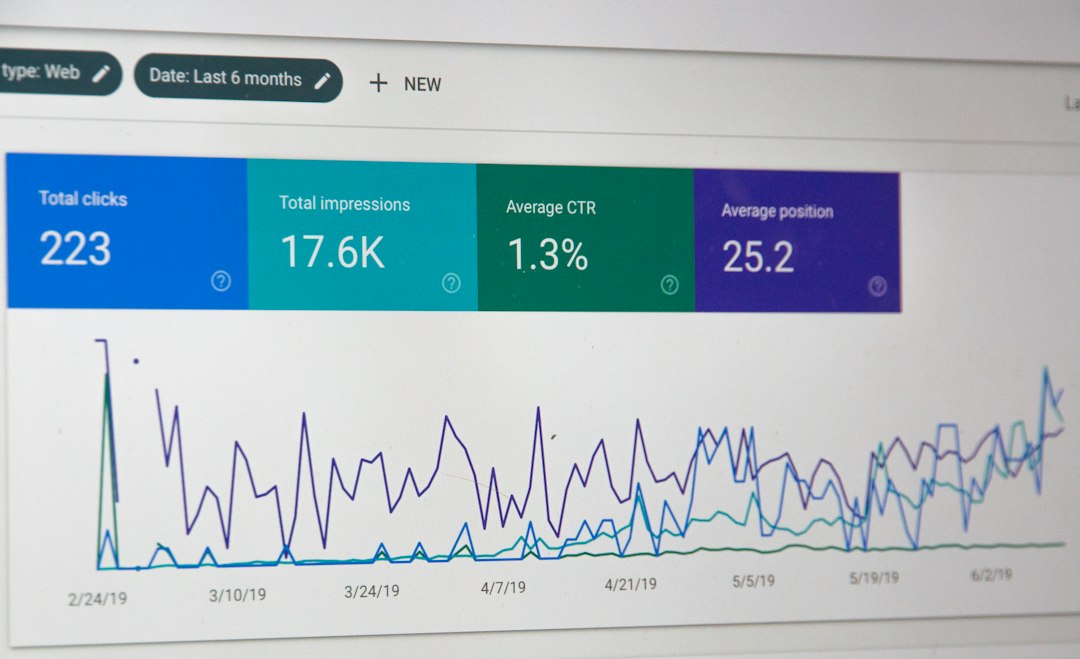
- Click data: impressions, clicks, CTR, and average position from Search Console.
- Search intent: informational, commercial, transactional, local, or mixed.
- SERP features present: snippets, videos, maps, images, sitelinks, FAQs, shopping, and related questions.
The catch is that average position can hide trouble. A keyword may show an average position of 4.2, but if it bounces between 2 and 9 across devices or locations, that keyword is unstable. Flag volatility. It often points to a page that needs stronger content, better internal links, or clearer intent matching.
Compare competitors by visibility, not ego
Competitor tracking should not be a scoreboard for bragging rights. It should tell you why another site is getting clicks you could win.
Build a competitor view for each keyword group. Include direct business competitors and search competitors. These are not always the same. A review site, publisher, marketplace, or forum may outrank every company in your market.
For each competitor, track:
- Share of top 3 rankings across the keyword group.
- Share of first page rankings for priority keywords.
- New ranking URLs that appeared in the last 30 days.
- Content type winning the SERP, such as blog post, product page, category page, tool, or comparison page.
- SERP feature ownership, such as featured snippets or video blocks.
Say your site ranks on page one for 62% of tracked commercial keywords. A competitor ranks on page one for 74%. That gap is useful, but still broad. The real insight may be that they own 41% of featured snippets in your shared keyword set while you own 9%. Now you know where to act.

Measure SERP features like ranking assets
SERP features change visibility without changing organic rank. That makes them irritating to report, but too valuable to ignore.
Common features to track include:
- Featured snippets: often steal attention from position one.
- People also ask: useful for content expansion and question targeting.
- Local packs: critical for service businesses and stores.
- Video results: strong signal that users want visual answers.
- Image packs: common in design, fashion, food, travel, and retail searches.
- Shopping results: a major factor for ecommerce queries.
- Sitelinks: can increase branded SERP control.
Report whether each feature appears, whether you own it, and whether it pushes organic listings lower. This matters. If a keyword drops from rank 2 to rank 3, the loss may be small. If a local pack and video carousel appear above you, the traffic drop may be sharp.
Use time frames that match decision making
Daily rank tracking sounds impressive. It can also create panic. Search results move constantly. A one-day dip is not always a problem.
Use different reporting windows for different decisions:
- Daily: useful after migrations, major launches, or algorithm updates.
- Weekly: best for active SEO teams checking movement.
- Monthly: best for leadership reporting and trend analysis.
- Quarterly: best for strategy, content planning, and budget decisions.
Expect to waste time if every small rank change triggers a meeting. Set thresholds instead. For example, alert the team only when a priority keyword drops more than three positions, a revenue page loses 20% visibility, or a competitor gains a top 3 spot for more than seven days.
Turn ranking drops into action
A report is only useful if it pushes the next move. Add a short diagnosis beside major changes. Keep it plain.
- Ranking URL changed: Google may prefer a different page. Fix keyword cannibalization.
- Competitor gained snippet: rewrite headings, add concise answers, improve structure.
- Traffic down but rank steady: check SERP features, ads, seasonality, and CTR.
- Rank down across many groups: check technical health, indexing, links, and recent site changes.
- Rank down for one group: refresh content and compare intent against top results.
Build a report people will actually read
Keep the format simple. Start with wins, losses, and risks. Then show supporting data. A busy stakeholder should understand the story in two minutes.
A clean monthly ranking report can include:
- Executive summary: three bullets on visibility, traffic impact, and next actions.
- Visibility trend: total score and change by keyword group.
- Top gains: keywords and pages with the largest improvement.
- Top losses: high-value drops that need review.
- Competitor movement: who gained, who lost, and where.
- SERP feature changes: new opportunities and threats.
- Action list: owners, tasks, and deadlines.
The goal is not to collect ranking data. The goal is to spot visibility changes early, explain why they happened, and decide what to do next. When search ranking reports connect keywords, competitors, and SERP features, they stop being static charts. They become a practical system for protecting organic traffic and finding new growth.