Understanding how users behave on your website or app is no longer a luxury—it’s a necessity. Businesses invest heavily in driving traffic, but without insight into what visitors actually do once they arrive, optimization becomes guesswork. This is where session replay platforms step in. By capturing real user interactions, these tools allow teams to observe clicks, scrolls, hesitations, and drop-offs as if they were looking over a user’s shoulder.
TLDR: Session replay platforms record and visualize real user interactions on websites and apps, helping teams understand behavior beyond traditional analytics. They reveal friction points, usability issues, and drop-off triggers through playback and heatmaps. These tools are powerful for UX, product, marketing, and support teams alike. When implemented responsibly, they drive informed decisions and measurable improvements in conversion and engagement.
What Are Session Replay Platforms?
Session replay platforms are software tools that record and reconstruct user interactions on digital properties. Unlike standard analytics platforms that show what happened (such as bounce rate or session duration), session replay tools reveal how it happened.
They track elements such as:
- Mouse movements
- Clicks and taps
- Scrolling behavior
- Form interactions (without exposing sensitive data)
- Page transitions
- Error messages and UI glitches
The result is a video-like playback of individual sessions, allowing teams to see exactly what users experienced.
Why Traditional Analytics Aren’t Enough
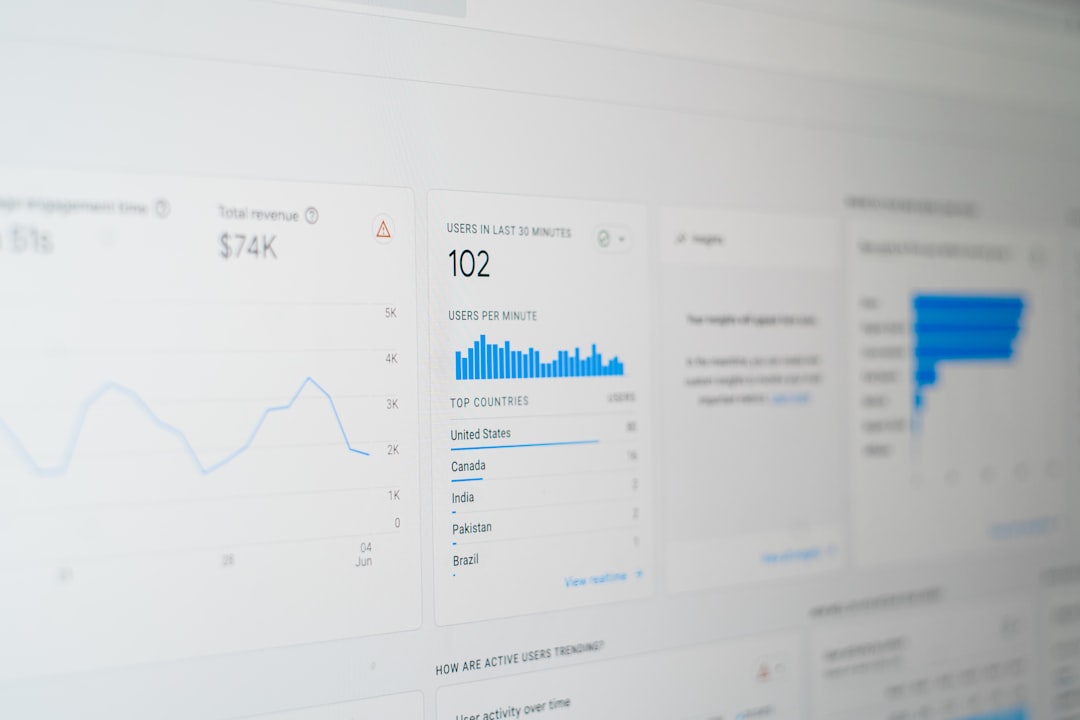
Traditional analytics tools provide valuable quantitative data. You can see that:
- 70% of users dropped off on a checkout page
- Visitors spend an average of 45 seconds on a product page
- A large percentage of mobile users abandon forms
However, these insights don’t explain why. Are users confused by the layout? Is a button hidden below the fold? Does an error message prevent submission?
Session replays fill this gap. By watching real sessions, teams uncover friction points that numbers alone can’t explain.
Key Features of Modern Session Replay Platforms
Modern platforms go far beyond simple recordings. They combine playback with intelligent filtering and visualization tools.
1. Session Playback
This is the core feature. It recreates user journeys step-by-step, showing cursor movement, clicks, scrolls, and page transitions.
2. Heatmaps
Heatmaps visually represent aggregated user activity across pages. They often include:
- Click heatmaps – Show where users click most often
- Scroll maps – Illustrate how far users scroll
- Move maps – Indicate cursor movement patterns
3. Funnel Analysis Integration
Many platforms allow you to filter recordings by funnel stage. For example, you can watch only sessions where users:
- Added a product to cart but didn’t purchase
- Abandoned a signup form halfway through
- Encountered a payment error
4. Error and Bug Tracking
Advanced tools tag sessions that include JavaScript errors, broken elements, or slow load times. This makes it easier for product and engineering teams to diagnose problems quickly.
5. Segmentation and Filtering
You can filter sessions by:
- Device type (mobile, tablet, desktop)
- Traffic source
- Geographic region
- Session duration
- Conversion outcome
This granular control transforms session replay from a novelty into a strategic decision-making tool.
How Businesses Use Session Replay Platforms
Organizations across industries leverage session replay tools in different ways. Their adaptability makes them valuable across departments.
Improving User Experience (UX)
UX designers rely heavily on session replay data to identify usability issues. For example:
- A button looks clickable but doesn’t function.
- Users repeatedly try to click a non-interactive image.
- Navigation menus confuse first-time visitors.
Instead of relying solely on user testing sessions, designers can review hundreds of real-world interactions.

Optimizing Conversion Rates
Conversion rate optimization (CRO) teams use session replays to diagnose drop-offs during key moments such as checkout or registration.
By watching recordings, they may discover:
- A promo code field distracts users and causes abandoned carts.
- Users rage-click when shipping costs appear late in checkout.
- Mobile users struggle with multi-step forms.
Once friction is identified, targeted A/B tests can validate improvements.
Enhancing Customer Support
Support teams no longer need to rely solely on written descriptions like, “It doesn’t work.” With session replay tools, they can:
- View the exact session where an issue occurred
- Identify errors in real time
- Provide faster, more accurate responses
This reduces back-and-forth communication and improves customer satisfaction.
Debugging Technical Issues
Developers can filter sessions by error occurrences and watch how users encountered them. This context often reveals more than logs alone, especially when UI or browser compatibility issues are involved.
The Role of Privacy and Compliance
While session replay platforms offer powerful insights, privacy considerations are critical. Responsible platforms:
- Mask sensitive inputs (passwords, credit card numbers)
- Allow selective recording
- Anonymize user identities
- Comply with data regulations such as GDPR and CCPA
Transparency is equally important. Many companies disclose session recording activities within their privacy policies and consent banners.
When implemented ethically, session replay becomes a tool for improving user experience rather than exploiting user data.
Common Challenges and Misconceptions
“It’s Too Much Data”
Some teams fear being overwhelmed by recordings. However, modern filtering tools reduce the noise. Instead of watching random sessions, teams can focus specifically on:
- Non-converting high-intent users
- Sessions with technical errors
- Visitors from high-value traffic sources
“It Replaces User Research”
Session replay does not replace traditional research methods like user interviews or usability testing. Instead, it complements them by providing large-scale behavioral evidence to validate qualitative insights.
Performance Impact Concerns
A well-optimized session replay script typically has minimal impact on site performance. Leading platforms prioritize lightweight implementation and asynchronous loading.
Best Practices for Using Session Replay Effectively
To extract meaningful insights, consider the following best practices:
- Define Clear Goals
Start with specific questions. For example: Why are mobile users abandoning checkout? - Segment Intentionally
Focus on key cohorts rather than reviewing random sessions. - Combine Quantitative and Qualitative Data
Pair session replays with analytics dashboards, surveys, and A/B testing. - Prioritize High-Impact Pages
Review product pages, pricing pages, signup forms, and checkout flows first. - Turn Observations into Experiments
Insights should lead to changes, and changes should be tested.
Emerging Trends in Session Replay Technology
As technology evolves, session replay platforms are becoming more intelligent and automated.
AI-Powered Insights
Instead of manually watching recordings, artificial intelligence can now:
- Detect frustration signals such as rage clicks
- Flag abnormal navigation patterns
- Identify sessions with high likelihood of churn
Real-Time Monitoring
Some platforms offer live session viewing, enabling support teams to intervene proactively in high-value scenarios.
Cross-Platform Tracking
User journeys often span devices. Advanced tools integrate web, mobile apps, and even SaaS dashboards into a unified replay experience.

Choosing the Right Platform
When evaluating session replay platforms, decision-makers typically compare:
- Ease of Implementation
- Data Security and Compliance Capabilities
- Integration with Existing Tools
- Scalability
- Reporting and Visualization Features
The right solution should align with your organization’s size, industry, and technical maturity.
The Strategic Value of Understanding User Journeys
At its core, session replay is about empathy at scale. It transforms abstract metrics into human behavior. Instead of analyzing numbers on a dashboard, teams witness hesitation, confusion, and engagement in real time.
Why does this matter? Because every click represents intent. Every scroll reflects curiosity. Every abandoned form indicates friction.
When organizations adopt session replay platforms thoughtfully, they unlock:
- Higher conversion rates
- Improved usability
- Faster debugging cycles
- Stronger customer trust
- More informed product decisions
In an increasingly competitive digital landscape, understanding user journeys is not optional. It is a defining competitive advantage. Session replay platforms provide the visibility needed to transform user frustration into seamless experiences—and insights into action.