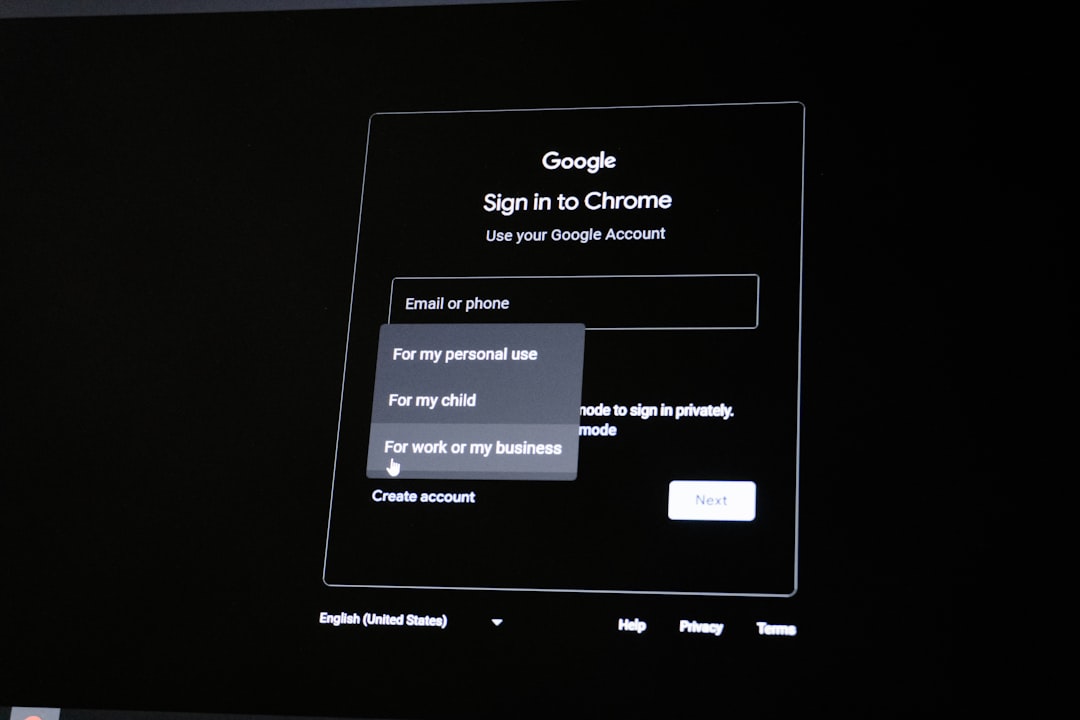
Bambu Lab’s ecosystem relies heavily on cloud synchronization, remote print monitoring, and account-based access to devices and models. When the third-party login feature fails—especially when signing in through Google, Apple, Facebook, or other external providers—it can completely block access to printers, Bambu Studio, or the Handy app. These login disruptions became more common in late 2025 and early 2026 due to tightened security rules, provider-side policy updates, and cached credential conflicts.
TL;DR: Most Bambu Lab third-party login errors are caused by expired tokens, browser cache corruption, VPN or firewall interference, or mismatched account credentials. Clearing cookies, disabling VPN, updating Bambu Studio or firmware, and verifying provider permissions fix the issue in most cases. If problems persist, unlinking and relinking the external provider or switching to direct email login usually resolves the error. Advanced network checks may be necessary in corporate or restricted environments.
Understanding the Bambu Lab Third-Party Login Error
The third-party login error typically appears with messages such as:
- Authentication Failed
- Authorization Expired
- Account Binding Error
- Unable to Retrieve User Information
- Login Timed Out
In 2026, security protocols across Google, Apple, and Meta platforms have grown stricter. Many apps, including Bambu Studio and Bambu Handy, now require refreshed authorization tokens and more granular data permissions. If any part of that process fails, the login process breaks.
Common causes include:
- Expired OAuth tokens
- Corrupted browser cookies
- VPN or proxy interference
- Firewall blocking authentication servers
- Mismatched email addresses between Bambu and provider
- Outdated Bambu Studio version
- Incorrect device time and date settings
Step-by-Step Fix: Start With the Basics
Before diving into advanced troubleshooting, work through these foundational fixes.
1. Restart Everything
This sounds basic, but it works surprisingly often:
- Close Bambu Studio completely
- Log out of the Bambu Handy app
- Restart your computer or phone
- Reboot your router
A full network reset clears temporary DNS or routing issues that interfere with authentication servers.
2. Clear Browser Cache and Cookies
If you are logging in using a browser redirect window, cached cookies may conflict with the fresh OAuth request.
How to fix:
- Open browser settings
- Clear cookies and cached images
- Log out of your external provider (Google, Apple, etc.)
- Restart browser
- Attempt login again
This resolves most authentication token mismatch errors.
3. Disable VPN or Proxy Temporarily
VPNs frequently interfere with:
- Regional authentication verification
- Secure handshake certificates
- Identity provider redirects
Turn off your VPN and try again. If login succeeds immediately, add Bambu Lab services to your VPN’s whitelist.
Update Your Software (Critically Important in 2026)
Many login failures are simply caused by outdated software no longer compatible with the provider’s API changes.
Image not found in postmetaMake sure the following are fully updated:
- Bambu Studio (latest 2026 version)
- Bambu Handy app
- Your printer firmware
- Your operating system
Why this matters: Google and Apple rotate security certificates regularly. If Bambu Studio uses an old authentication protocol, the login attempt will fail automatically.
Check Account Linking and Email Matching
One overlooked issue is mismatched email addresses.
If you:
- Originally created a Bambu account with email/password
- Later tried logging in with Google using a different email
The system may treat it as a separate account rather than linking them.
Fix:
- Log in directly using email and password (if possible).
- Go to Account Settings.
- Check Linked Accounts section.
- Confirm the correct external provider is attached.
If the account is not linked, manually connect it from settings rather than attempting login from scratch.
Unlink and Relink the External Provider
If authentication tokens are permanently corrupted, you may need to revoke access fully.
For Google
- Visit Google Account → Security → Third Party Apps
- Remove Bambu Lab access
- Restart device
- Retry login from Bambu Studio
For Apple ID
- Open Apple ID settings
- Select Sign In With Apple
- Remove Bambu Lab
- Retry login
This forces the system to generate new authentication credentials.
Check Date, Time, and DNS Settings
Incorrect system time can invalidate security certificates.
Ensure:
- Automatic time sync is enabled
- Time zone is correct
- DNS is not manually set to a restrictive server
If necessary, switch DNS to a reliable public DNS temporarily to test connectivity.
Firewall and Corporate Network Issues
If you are signing in from:
- A school network
- A corporate office
- A managed IT environment
The firewall may block OAuth redirect URLs or cloud authentication endpoints.

Solution:
- Test login using a mobile hotspot
- If it works, the issue is network restrictions
- Contact IT and request whitelisting of Bambu cloud servers
Comparison of Common Fix Methods
| Fix Method | Difficulty | Time Required | Effectiveness |
|---|---|---|---|
| Restart Devices | Very Easy | 5 Minutes | Moderate |
| Clear Browser Cache | Easy | 10 Minutes | High |
| Disable VPN | Easy | 2 Minutes | High |
| Update Software | Easy | 15 Minutes | Very High |
| Unlink and Relink Account | Moderate | 10 Minutes | Very High |
| Adjust Firewall Settings | Advanced | 30–60 Minutes | High |
Last-Resort Fix: Switch to Direct Email Login
If third-party login continues to fail, consider temporarily switching to:
- Direct email and password authentication
Many users report that once logged in normally, they can later reattach their external account successfully.
This method separates cloud account access from provider-based OAuth errors.
What If Nothing Works?
If you have tried all above steps:
- Document the exact error message
- Take a screenshot
- Record your app version and firmware version
- Note your operating system
Then contact official Bambu Lab support with precise information. Providing detailed data significantly speeds up escalation and resolution.
Preventing Future Login Issues
To avoid recurring problems in 2026 and beyond:
- Keep software updated monthly
- Avoid frequently switching VPN regions
- Maintain consistent login method
- Enable automatic device time synchronization
- Regularly review linked third-party permissions
The shift toward stricter digital identity verification means login systems will only become more secure—and more sensitive to configuration issues.
Final Thoughts
Bambu Lab third-party login errors can appear alarming, especially when they block printer access mid-project. However, in the vast majority of cases, the issue is not a system outage but a local authentication conflict. By methodically checking cache, software versions, account links, and network settings, you can usually resolve the problem in under 30 minutes.
Approach the issue systematically rather than randomly trying fixes. With the tightening of security protocols across major authentication providers in 2026, clean account linking and updated software are no longer optional—they are essential.
Follow the structured steps in this guide, and you should regain access quickly and securely.