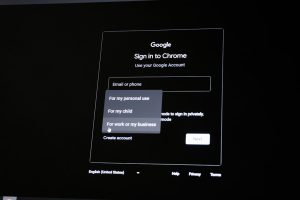
As a student, your university email account becomes a vital resource throughout your academic life. It serves as your communication hub for everything from class updates to job applications, software discounts, and library access. But what happens to this email once you graduate? Can you keep your student email address forever, or is it revoked once you toss your mortarboard into the air?
TLDR: Can You Keep Your Student Email Forever?
In most cases, you won’t be able to keep your student email account forever. Many universities disable or delete student accounts within a set time after graduation, typically ranging from six months to two years. Some institutions do offer lifetime email forwarding or alumni email accounts, but these often have limited functionality. It’s best to plan ahead and transfer important contacts and files before you lose access.
Why Schools Provide Student Email Accounts
Student email accounts are more than just a convenience. They’re a structured way for universities to distribute information and offer access to a suite of services:
- Communication: Direct contact with professors, administrators, and classmates.
- Access to educational tools: Services like Microsoft Office 365, Google Workspace for Education, and library databases often require a .edu email address.
- Student discounts: Many tech companies and online platforms offer significant savings when you register with a verified student email.
Given the breadth of access a student email enables, it’s no wonder people want to hold onto them post-graduation.
Do You Lose Access After Graduation?
In short, yes—typically, you do lose access. However, timelines and policies vary depending on the institution. Here are some common approaches:
- Immediate Deactivation: Some schools terminate your account as soon as your graduation is processed.
- Time-Delayed Deactivation: Others provide a grace period, often between 6-24 months post-graduation, before shutting down or locking the account.
- Alumni Emails: A number of institutions offer separate alumni email services, which may either be forward-only addresses or entirely new accounts with the university’s domain.
It’s essential to check your specific school’s policy. For example:
- Harvard University: Graduates retain lifetime forwarding addresses but not full inbox access.
- Stanford University: Offers full alumni email accounts that remain active as long as they are used.
- University of Texas: Disables student emails two years after graduation.

Why You Might Want to Keep It
There are plenty of reasons someone might want to hold onto their student email:
- Access to Discounts: Platforms like Spotify, Amazon Prime, and Adobe often grant you student discounts if you register with a .edu email.
- Networking Continuity: You’ve likely shared your student email with colleagues, professors, job recruiters, and project collaborators. Keeping the same email ensures continuity.
- Authentication Convenience: Multiple services, such as GitHub or academic journal subscriptions, may be tied to your student account.
However, clinging to a student email solely for discounts can violate terms of service and could result in losing those accounts altogether if you’re no longer a student.
Risks of Relying on a Student Email Post-Graduation
Assuming your student email will remain indefinitely active can lead to complications:
- Loss of Important Correspondence: If your account is deactivated without your knowing, you could miss emails from employers, professors, or scholarship foundations.
- Account Recovery Issues: Using your student email as a backup or recovery option for personal accounts (e.g., banking or social media) could lock you out if the email gets disabled.
- Access Termination: Services like Google Drive or Dropbox linked to your school email will become inaccessible once the account is deleted.
It’s wise to update your email across platforms once you know your graduation date and school policy.
How to Prepare Before Losing Your Student Email
If your institution doesn’t support lifelong email access, preparation is key. Here’s what you should do:
- Download Important Emails: Use tools like Google Takeout or email clients (Outlook, Thunderbird) to archive your messages.
- Transfer Files: Move any valuable documents from school-based cloud storage to a personal account.
- Update Account Information: Replace your student email with a personal or professional address across job boards, apps, and banks.
- Notify Contacts: Inform professors, networks, and friends of your updated contact information.
Can Alumni Email Accounts Bridge the Gap?
Many schools have introduced alumni email options to help students stay connected. These generally fall into two types:
- Forwarding Accounts: Your college lets you keep your .edu address, but it simply forwards to your personal Gmail or Outlook inbox.
- New Alumni Addresses: You get a new, separate account (e.g., yourname@alumni.yourschool.edu) with its own inbox and limited services.
Though helpful for maintaining a sense of identity with your alma mater, these accounts rarely retain the same privileges linked to active student accounts. That means no Office 365 suite, free cloud storage, or access to internal school databases.
The Future of Student and Alumni Emails
As technology evolves, universities are increasingly rethinking the lifespan of student accounts. Cloud-based platforms like Google and Microsoft make it relatively easy to sustain an email service indefinitely, yet privacy concerns and storage costs persist. Some schools are exploring paid alumni subscriptions that come with enhanced services like email hosting, alumni directories, and networking tools.
Additionally, the increasing popularity of digital portfolios and LinkedIn means email isn’t the only way graduates retain professional visibility. However, your email still plays a crucial role in first impressions and account management.
What to Use Instead
If you know you’ll be losing your student email, the next best step is choosing a reliable and professional alternative. Consider these tips:
- Stick to Reputable Providers: Gmail, Outlook, and ProtonMail are great options.
- Create a Professional Alias: Use a variation of your full name rather than nicknames or year digits.
- Secure Your New Account: Use two-factor authentication, strong passwords, and regular backups.
Having a professional personal email ensures you’re not caught off guard when your alma mater finally hits “delete.”
Final Thoughts
While saying goodbye to your student email can feel like the end of an era, it doesn’t have to be disruptive. What matters most is being proactive. Understand your school’s policy, prepare in advance, and migrate your digital life to a long-term email solution. After all, graduation is not just an ending—it’s the beginning of your journey as a lifelong learner and professional.
And as always, check in with your school’s IT department or alumni office to get the most accurate and personalized information about your email status after graduation.