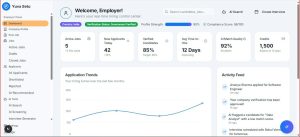
Billing should not feel like a maze with a tiny angry minotaur inside. Customers want answers fast. They want invoices, receipts, cards, plan changes, and payment history in one clean place. That is where a great customer billing portal saves the day.
TLDR: The best customer billing portals let users pay invoices, download receipts, check payment history, and manage subscriptions without contacting support. For example, a SaaS company with 5,000 customers could cut billing tickets by 30% if users can update cards and cancel plans themselves. Tools like Stripe Customer Portal, Chargebee, Recurly, Paddle, Zoho Billing, and Maxio are strong choices. Pick the one that fits your billing model, tax needs, and customer experience.
What Is a Customer Billing Portal?
A customer billing portal is a private online account area. Customers log in and handle billing tasks on their own. No email chain. No waiting. No “Hi, just following up.”
A good portal usually includes:
- Self-service invoices for viewing, paying, and downloading.
- Payment history with receipts and failed payment notices.
- Subscription management for upgrades, downgrades, pauses, and cancellations.
- Payment method updates, such as adding a new card.
- Tax and billing details, like company name, VAT ID, or billing address.
In simple words, it is the “help yourself” table at the billing buffet.

Why Self-Service Billing Matters
People do not enjoy opening support tickets for tiny billing tasks. They want control. They also want proof. A receipt. A history. A clear invoice. A simple button that says download PDF.
For businesses, the impact can be big. Billing questions often create repeat support work. One customer asks for an invoice. Another asks to change a card. Another wants to cancel before renewal. A portal can move those tasks away from the support team.
That means:
- Fewer support tickets.
- Faster payments.
- Lower failed payments.
- Happier customers.
- Cleaner records.
It also builds trust. When customers can see every invoice and charge, there are fewer surprises. And fewer surprises means fewer angry emails written in ALL CAPS.
Best Customer Billing Portals to Consider
1. Stripe Customer Portal
Best for: startups, SaaS companies, and online businesses already using Stripe.
Stripe Customer Portal is clean, fast, and easy to launch. Customers can update payment methods, view invoices, download receipts, and manage subscriptions. You can also control what users are allowed to change.
It is a strong choice if you need something simple but powerful. It works very well for subscription billing. It also supports trials, coupons, taxes, and multiple payment methods.
Fun bit: Stripe feels like the portal version of a tidy desk. Everything is where you expect it to be.
2. Chargebee
Best for: growing subscription businesses with complex plans.
Chargebee is built for subscription management. It handles upgrades, downgrades, add-ons, coupons, pauses, renewals, and cancellations. Customers can manage many billing tasks from the portal.
It also supports dunning. That means it can help recover failed payments with automated emails and card update links. This is useful because failed payments can quietly eat revenue like a raccoon in a snack drawer.
Chargebee is a good fit if your pricing has many layers. It is also great if finance teams need strong reporting.
3. Recurly
Best for: companies that care about subscription retention.
Recurly focuses on recurring revenue. Its customer portal lets users manage payment details, invoices, and subscriptions. It also has strong tools for reducing churn and recovering failed payments.
Recurly works well for businesses with many subscription plans. It also supports promotions and revenue analytics. If your team watches metrics like monthly recurring revenue and churn, Recurly can help.
It is not the simplest tool on this list. But it is powerful. Think of it as a billing portal with a gym membership and a spreadsheet habit.

4. Paddle
Best for: software companies selling globally.
Paddle is more than a billing portal. It is a merchant of record. That means Paddle can handle payments, tax compliance, invoicing, and global checkout. This is very helpful for companies selling in many countries.
Customers can access invoices, receipts, payment details, and subscription options. The big win is tax handling. VAT, sales tax, and global rules can get messy fast. Paddle takes a lot of that mess away.
If your business sells digital products or SaaS worldwide, Paddle is worth a close look.
5. Zoho Billing
Best for: small and mid-sized businesses that want value.
Zoho Billing offers invoicing, subscriptions, payment collection, and customer self-service. It works well with the larger Zoho ecosystem. So if you already use Zoho CRM or Zoho Books, this can feel natural.
Customers can view invoices, pay bills, and manage subscriptions. The interface is friendly. The pricing is often attractive for smaller teams.
Zoho Billing is a practical choice. It may not have every advanced feature from enterprise platforms. But it covers the basics very well.
6. Maxio
Best for: B2B SaaS companies with finance-heavy needs.
Maxio is built for subscription billing, revenue management, and SaaS metrics. It is a strong option for companies with usage-based pricing, custom contracts, and more complex billing operations.
The customer portal can support invoice access, subscription details, and payment management. Finance teams also get reporting, revenue recognition tools, and analytics.
Maxio is not just for “send invoice, get money.” It is for businesses that need billing to connect with serious revenue operations.
What Features Should You Look For?
Choosing a portal can feel like shopping for a toaster that also files taxes. Keep it simple. Look for the features your customers will actually use.
- Invoice access: Customers should view, pay, and download invoices.
- Payment history: Receipts should be easy to find.
- Card updates: Users should change cards without support.
- Subscription controls: Upgrades, downgrades, cancellations, and pauses should be clear.
- Security: The portal should use safe login and protect payment data.
- Branding: The portal should feel like part of your product.
- Tax support: This matters a lot if you sell across regions.
- Integrations: It should connect with your CRM, support tool, accounting system, or data stack.
Also test the portal like a customer. Can you find the latest invoice in under 10 seconds? Can you update a card without hunting? Can you cancel without feeling trapped? If not, customers will notice.
A Quick User Scenario
Imagine a company called SunnyStack. It sells project management software for $29 per month. It has 2,000 paying customers. Before using a portal, the support team gets 300 billing tickets each month.
Most tickets are simple. “Can I get my invoice?” “Can I change my card?” “Can I switch plans?” After launching a self-service billing portal, ticket volume drops to 190 per month. That is a 36% reduction. Support now spends more time solving real problems, not sending PDF receipts like tiny digital pigeons.

Which Portal Is Best?
The best portal depends on your business.
- Use Stripe Customer Portal if you want a fast, clean setup and already use Stripe.
- Use Chargebee if subscriptions are central to your business and plans are complex.
- Use Recurly if retention and failed payment recovery are top priorities.
- Use Paddle if you sell software globally and need tax help.
- Use Zoho Billing if you want an affordable, practical option.
- Use Maxio if you are a B2B SaaS company with advanced finance needs.
Final Thoughts
A great billing portal is not just a nice extra. It is part of the customer experience. It can reduce support work. It can improve cash flow. It can make customers feel more in control.
Keep it simple. Make invoices easy to find. Show payment history clearly. Let users manage subscriptions without drama. If your portal can do that, your customers will be happier. Your support team will breathe easier. And your billing process will feel less like a haunted filing cabinet.