Finding your Litecoin (LTC) wallet address is one of the most important first steps in sending, receiving, or managing your cryptocurrency securely. Whether you are using a mobile wallet, desktop software, hardware device, or cryptocurrency exchange, your wallet address acts as the destination for incoming transactions. Understanding where to locate it—and how to verify it—is essential for safe and accurate Litecoin transactions.
TLDR: Your Litecoin wallet address is a unique string of letters and numbers used to receive LTC. You can find it inside your wallet app, hardware wallet interface, or exchange account under the “Receive” section. Always verify the address before sharing it and ensure you are selecting the Litecoin (LTC) network to avoid costly mistakes. When in doubt, double-check both the network and the first and last characters of the address.
Understanding What a Litecoin Wallet Address Is
A Litecoin wallet address is a public identifier that allows others to send LTC to your wallet. It functions similarly to a bank account number but is specifically designed for blockchain transactions. Each wallet generates addresses based on cryptographic key pairs consisting of:
- Public key – Used to generate your wallet address.
- Private key – Used to sign transactions and access your funds.
Important: You can share your wallet address freely, but you must never share your private key or recovery phrase.
Litecoin addresses typically begin with:
- L (Legacy format)
- M (SegWit format)
- ltc1 (Bech32 format)
Each format is valid for receiving LTC, though modern wallets usually default to SegWit or Bech32 because they offer lower transaction fees.
Where to Find Your Litecoin Wallet Address
The process for finding your LTC wallet address depends on the type of wallet you are using. Below are step-by-step explanations for the most common wallet types.
1. Mobile Wallets
Mobile wallets are apps installed on your smartphone. They are one of the most common ways individuals store Litecoin.
Steps to find your wallet address in a mobile wallet:
- Open your Litecoin wallet app.
- Log in or unlock the app.
- Select Litecoin (LTC) if the wallet supports multiple cryptocurrencies.
- Tap the “Receive” button.
- Your wallet address will appear as a long string of characters and a QR code.
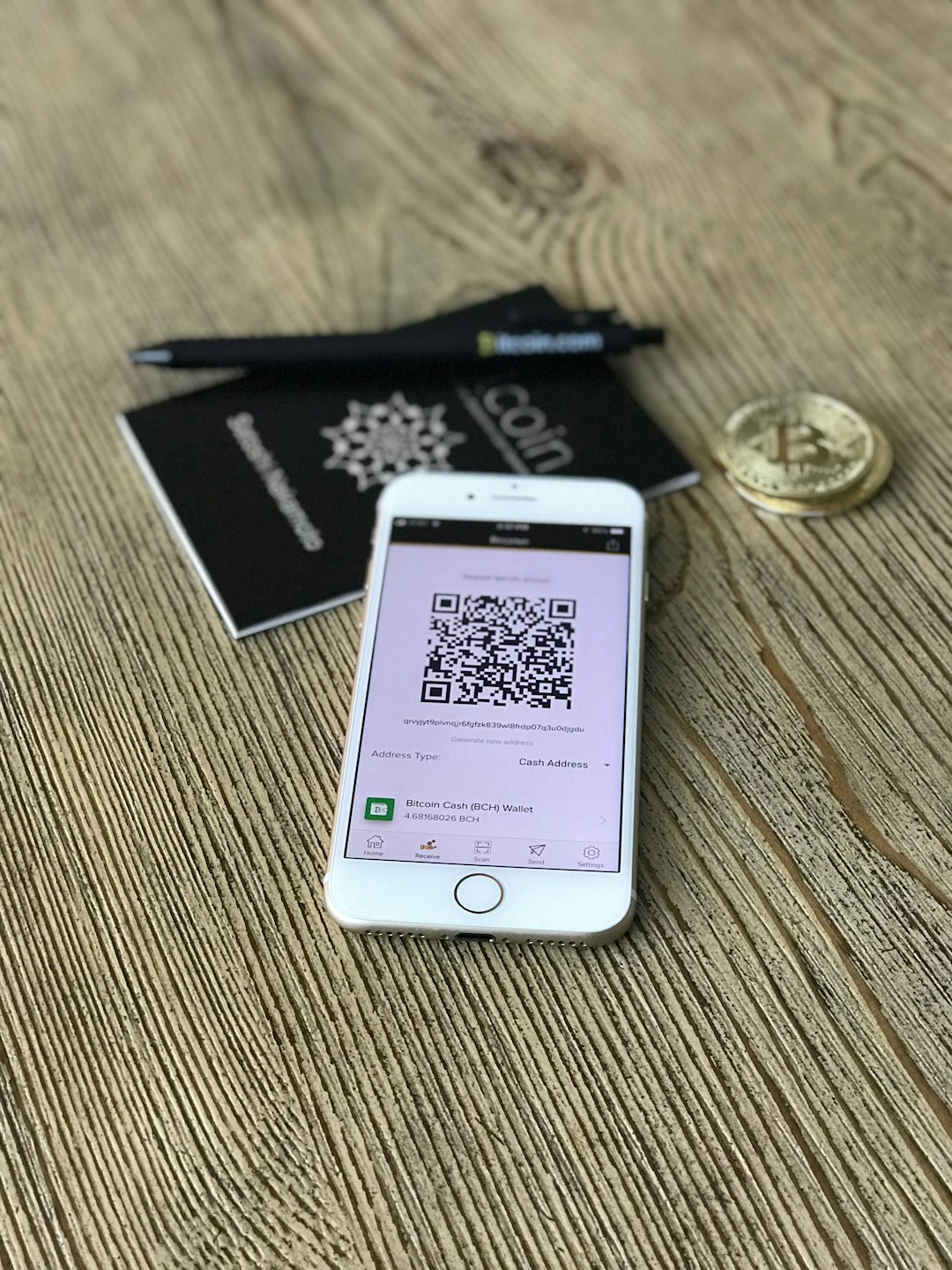
You can either copy the address manually or share the QR code with the sender to avoid typing errors.
2. Desktop Wallets
Desktop wallets are software programs installed on your computer. They generally offer greater control and advanced functionality.
Steps:
- Launch your desktop wallet software.
- Unlock it with your password if required.
- Navigate to the “Receive” or “Request Payment” section.
- Select Litecoin as the asset.
- Copy the displayed wallet address.
Some desktop wallets allow you to generate a new address for each transaction. This enhances privacy by reducing traceability on the blockchain.
3. Hardware Wallets
Hardware wallets are physical devices that store your private keys offline, offering a higher level of security.
To find your Litecoin address on a hardware wallet:
- Connect your hardware wallet to your computer or mobile device.
- Open the companion app.
- Select Litecoin from the asset list.
- Click “Receive”.
- Verify the address displayed on both the app and the hardware device screen.
Always verify that the address shown on your computer matches the one on the hardware device screen. This prevents malware from substituting fraudulent addresses.
4. Cryptocurrency Exchanges
If you keep your Litecoin on an exchange, you do not directly control the private keys. However, you can still obtain a deposit address.
Steps:
- Log in to your exchange account.
- Go to “Wallet” or “Assets.”
- Select Litecoin (LTC).
- Click “Deposit” or “Receive.”
- Ensure the network is set to Litecoin (LTC).
- Copy the deposit address provided.
Warning: Some exchanges support multiple Litecoin-related networks or wrapped versions. Sending LTC on the wrong network may result in permanent loss.
Comparison of Wallet Types
| Wallet Type | Security Level | Ease of Access | Best For | Control Over Private Keys |
|---|---|---|---|---|
| Mobile Wallet | Moderate | High | Daily transactions | Yes |
| Desktop Wallet | High | Moderate | Regular users | Yes |
| Hardware Wallet | Very High | Lower | Long-term storage | Yes |
| Exchange Wallet | Variable | Very High | Active traders | No |
How to Verify Your Litecoin Wallet Address
Before sharing or using your wallet address, verification is critical. Cryptocurrency transactions are irreversible.
Best practices include:
- Double-check the first and last 4–6 characters.
- Use copy-paste instead of typing manually.
- Scan QR codes when possible.
- Confirm the correct network (Litecoin, not Bitcoin or another coin).
- For large transfers, send a small test transaction first.
Triple-checking helps protect you from clipboard malware, phishing attacks, and simple human error.
Why Wallet Addresses Change
Some Litecoin wallets automatically generate a new address after each transaction. This practice enhances privacy because blockchain transactions are publicly viewable.
However:
- Old addresses usually remain valid.
- Funds sent to previous addresses will still arrive in your wallet.
- The wallet manages all associated addresses through your private keys.
If you are unsure, consult your wallet’s documentation to confirm how address generation works.
Common Mistakes to Avoid
Even experienced crypto users occasionally make errors. Below are the most frequent mistakes when finding or using a Litecoin wallet address:
1. Confusing Litecoin with Bitcoin
Although Litecoin is based on Bitcoin’s code, their addresses are not interchangeable. Sending LTC to a Bitcoin address (or vice versa) can lead to loss of funds.
2. Using the Wrong Network
Always verify that you are depositing or withdrawing using the Litecoin network. Exchanges sometimes list multiple network options.
3. Copying the Wrong Asset Address
Multi-asset wallets generate different addresses for each cryptocurrency. Make sure you are viewing your Litecoin (LTC) address—not Ethereum, Bitcoin, or another asset.
4. Falling for Phishing Attacks
Only download wallet apps from official sources. Fake websites and malicious browser extensions can display fraudulent wallet addresses.
How to Share Your Litecoin Address Safely
When someone needs to send you LTC, you can share your address in several ways:
- Copy and paste the text address.
- Share the QR code.
- Use a secure messaging app.
Avoid posting your primary wallet address publicly if privacy is important to you. While sharing an address does not compromise your funds directly, it can expose your transaction history.
What to Do If You Cannot Find Your Address
If you are unable to locate your Litecoin wallet address:
- Ensure Litecoin is enabled in your wallet.
- Update your wallet software to the latest version.
- Restore your wallet using your recovery phrase (if necessary).
- Contact official wallet support channels.
Never share your recovery phrase or private key with support representatives.
Final Thoughts
Finding your Litecoin wallet address is a straightforward process once you understand where to look. Regardless of whether you use a mobile app, desktop wallet, hardware device, or exchange, the key principle remains the same: navigate to the “Receive” section and verify the address carefully before using it.
Security and accuracy should always be your top priorities. Cryptocurrency transactions cannot be reversed, and a single mistake can result in permanent loss. By double-checking the address, confirming the correct network, and safeguarding your private keys, you ensure that your Litecoin transactions remain secure and reliable.
Approach each transaction methodically, verify before sending, and use reputable wallet providers. With these precautions in place, managing and locating your Litecoin wallet address becomes both simple and safe.