Modern software development rarely sticks to a single programming language or framework. A typical project might combine JavaScript for the frontend, Python or Node.js for the backend, SQL for databases, and YAML or JSON for configuration. In this multi-language reality, developers need code editing software that can seamlessly support different ecosystems without slowing down productivity. The right editor acts as a central command center, helping developers switch contexts quickly and efficiently.
TLDR: Code editing software that supports multiple languages and frameworks helps developers work faster and more efficiently across diverse tech stacks. The best editors provide intelligent code completion, debugging, extensions, version control integration, and strong performance. Popular tools like Visual Studio Code, JetBrains IDEs, Sublime Text, and others stand out for flexibility and ecosystem support. Choosing the right one depends on your workflow, preferred languages, and performance needs.
In this article, we’ll explore what makes a code editor truly versatile, examine popular multi-language tools, and provide a comparison to help you choose the right solution for your workflow.
Why Multi-Language Support Matters
Software projects today are more interconnected than ever. A single application might use:
- Frontend technologies: HTML, CSS, JavaScript, TypeScript, React, Vue
- Backend languages: Python, Java, Go, PHP, Ruby
- Database systems: SQL, MongoDB query language
- DevOps tools: Docker, Kubernetes YAML, Bash scripts
Switching between specialized editors for each language wastes time and disrupts concentration. A unified development environment reduces friction and allows for:
- Consistent keyboard shortcuts
- Integrated debugging tools
- Shared extension ecosystems
- Seamless project-wide search and refactoring
- Centralized version control integration
Ultimately, smooth multi-language support improves collaboration and keeps developers focused on solving problems rather than managing tools.
Key Features of Great Multi-Language Code Editors
Not all editors are created equal. The best ones share several important features that allow them to handle diverse frameworks effectively.
1. Intelligent Code Completion
Advanced autocomplete powered by language servers can drastically improve productivity. Features like:
- Context-aware suggestions
- Inline documentation previews
- Refactoring guidance
- Syntax-aware error detection
These capabilities ensure that developers get meaningful feedback, even when switching between completely different frameworks.
2. Extension Ecosystem
A strong plugin marketplace allows users to add specific features for virtually any language or framework. Examples include:
- Prettier for formatting
- ESLint for JavaScript linting
- Python linters and debuggers
- Docker and Kubernetes toolkits
The broader the ecosystem, the more adaptable the editor becomes.
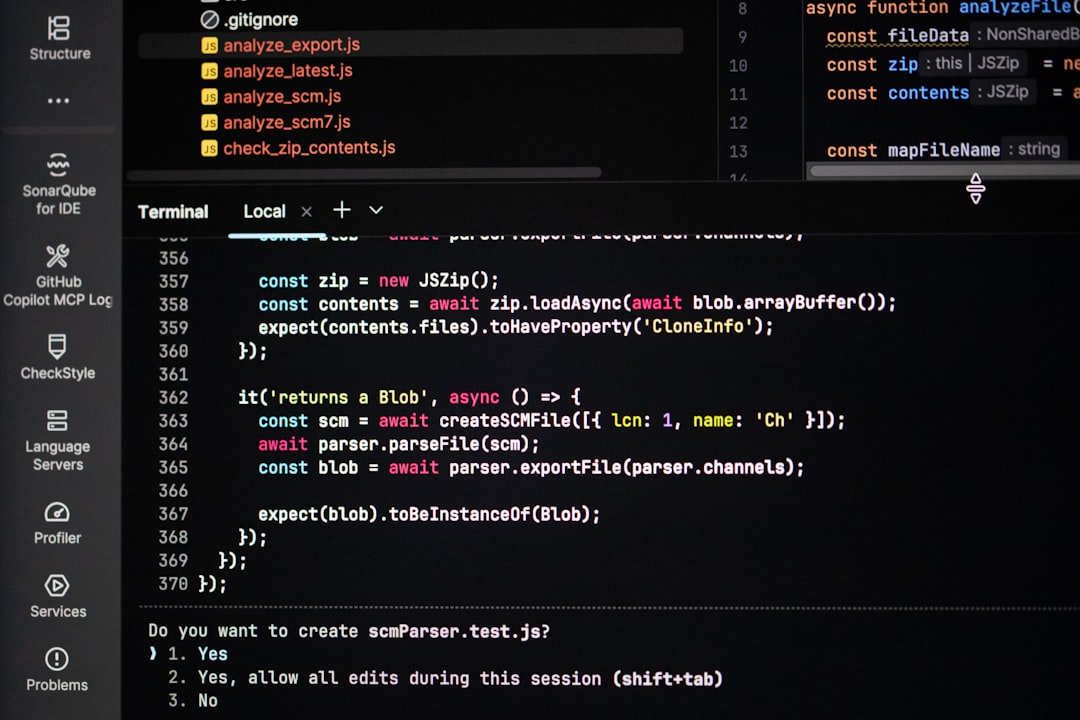
3. Integrated Terminal and Debugger
Switching between your editor and command line breaks workflow. Integrated terminals and graphical debugging tools streamline testing and deployment processes.
4. Performance and Responsiveness
Support for multiple frameworks is meaningless if the software becomes sluggish. Lightweight architecture and optimized resource usage are essential for large projects.
5. Cross-Platform Compatibility
Whether you use Windows, macOS, or Linux, your editor should provide a consistent experience across systems.
Top Code Editing Software That Supports Multiple Languages Smoothly
Let’s take a closer look at some of the most popular and reliable multi-language editors available today.
1. Visual Studio Code (VS Code)
VS Code has become one of the most widely adopted editors globally. It combines a lightweight core with a massive extension marketplace.
Why it stands out:
- Excellent support for JavaScript, Python, Java, C++, and more
- Highly customizable through extensions
- Built-in Git integration
- Integrated terminal and debugger
- Active global community
Thanks to the Language Server Protocol (LSP), VS Code provides intelligent features for countless languages.
2. JetBrains IDEs (IntelliJ Platform)
JetBrains offers specialized IDEs like IntelliJ IDEA, PyCharm, WebStorm, and Rider. Although tailored for specific languages, their shared platform allows excellent multi-language projects.
Strengths include:
- Deep framework integration (Spring, Django, React, etc.)
- Advanced code analysis
- Powerful refactoring tools
- Highly accurate debugging
These tools are more resource-intensive but offer robust, enterprise-grade capabilities.
3. Sublime Text
Sublime Text is known for its speed and simplicity. While it doesn’t come with as many built-in features as some competitors, it excels in performance.
Highlights:
- Fast startup time
- Lightweight architecture
- Strong community plugins
- Multiple cursors and efficient editing tools
This editor appeals to developers who want minimal overhead and maximum responsiveness.

4. Atom (Community Versions)
Though its official support has evolved, community-backed versions remain popular for their hackable nature.
Advantages:
- Open-source foundation
- Customizable interface
- Good multi-language support via packages
It is best suited for those who enjoy customizing every detail of their development setup.
5. Neovim
Neovim brings powerful modern features to a classic modal editing environment.
What makes it powerful:
- Extensive plugin systems
- Lightweight performance
- Strong LSP support
- Ideal for remote and server-based development
While it has a steeper learning curve, many developers swear by its efficiency once mastered.
Comparison Chart
| Editor | Language Support | Performance | Customization | Best For |
|---|---|---|---|---|
| Visual Studio Code | Extensive via extensions | High | Very High | General multi-language development |
| JetBrains IDEs | Deep, specialized support | Moderate | High | Enterprise and framework-heavy projects |
| Sublime Text | Strong via plugins | Very High | Moderate | Speed-focused developers |
| Atom | Good via community packages | Moderate | Very High | Custom-driven setups |
| Neovim | Extensive with configuration | Very High | Very High | Keyboard-centric power users |
Framework Compatibility and Ecosystem Integration
Beyond language support, modern development demands compatibility with frameworks and tools such as:
- React, Angular, Vue
- Django, Flask, Spring Boot
- Ruby on Rails
- .NET Core
- Containerization systems like Docker
The best editors provide:
- Built-in framework templates
- Live server previews
- Linting and formatting configurations
- Dependency management insights
- Automated test integration
This deep ecosystem integration transforms a simple text editor into a complete development environment.
Choosing the Right Editor for You
There is no one-size-fits-all solution. Consider the following factors:
- Project size: Larger projects may benefit from more structured IDEs.
- System resources: Lightweight editors perform better on older machines.
- Language focus: Some IDEs provide unmatched support for specific frameworks.
- Team collaboration: Consistency across teams improves workflow.
- Learning curve: Advanced tools may require time investment.
For freelance developers or quick project switching, a flexible solution like VS Code often works best. Enterprises and large teams might gravitate toward JetBrains products for their deep analysis and reliability.
The Future of Multi-Language Code Editing
The evolution of code editing software is moving toward intelligence and automation. Artificial intelligence–powered features are increasingly common, offering:
- Predictive code completion
- Code explanation tools
- Automated bug detection
- Refactoring suggestions
Cloud-based development environments are also gaining traction, allowing developers to code from anywhere with full multi-language support.
As projects continue to integrate diverse technologies, demand for seamless cross-language functionality will only grow. Editors are no longer just tools for writing text — they are sophisticated environments designed to manage entire development ecosystems.
Conclusion
Code editing software that supports multiple languages and frameworks smoothly has become essential in modern development workflows. With complex technology stacks becoming the norm, an adaptable, efficient editor can dramatically impact productivity and code quality.
Whether you choose a feature-rich IDE like those from JetBrains, an extension-driven powerhouse like Visual Studio Code, or a lightweight speed-focused editor like Sublime Text or Neovim, the key is finding software that integrates seamlessly into your workflow.
In today’s dynamic programming landscape, the right code editor isn’t just a convenience — it’s a competitive advantage.