A slow, cluttered PC can turn even the simplest tasks into frustrating experiences. Whether you’re gaming, working remotely, editing videos, or simply browsing the web, performance matters. Fortunately, optimizing your computer doesn’t require advanced technical expertise—just the right set of tools. IObit offers a suite of powerful utilities designed to clean, speed up, protect, and maintain your system with minimal effort and maximum impact.
TLDR: If your PC feels sluggish, crashes often, or takes forever to boot, IObit tools can help restore speed and stability. With solutions like Advanced SystemCare, Driver Booster, and Smart Defrag, you can clean junk files, update outdated drivers, and optimize storage in just a few clicks. These tools are user-friendly, effective, and suitable for both beginners and advanced users. A well-maintained PC runs faster, lasts longer, and provides a smoother overall experience.
Why PC Optimization Is Essential
Over time, every computer accumulates digital clutter. Temporary files, outdated drivers, fragmented disks, unnecessary background processes, and leftover registry entries gradually slow your system. Even powerful machines can experience lag if they aren’t maintained properly.
Optimization offers several key benefits:
- Faster startup and shutdown times
- Smoother gameplay and multitasking
- Improved system stability
- Extended hardware lifespan
- Stronger privacy and security protection
IObit’s ecosystem of tools focuses on addressing these performance bottlenecks systematically, ensuring your PC runs at its best every day.
Core IObit Tools for Peak Performance
IObit provides several specialized programs, each targeting a specific area of system optimization. Below are the most essential tools and what they bring to the table.
1. Advanced SystemCare
Considered IObit’s flagship optimization suite, Advanced SystemCare combines cleaning, optimization, and privacy protection features into one intuitive interface.
Key features include:
- AI-powered scanning to detect junk files and registry errors
- Startup optimization to reduce boot time
- Privacy sweep to erase browsing traces
- Real-time performance monitoring
With a single click, users can initiate a comprehensive cleanup that improves responsiveness almost instantly.

2. Driver Booster
Outdated drivers can cause hardware malfunctions, system instability, and reduced gaming performance. Driver Booster scans your system for obsolete drivers and updates them safely.
Why this matters:
- Improves compatibility with new software and games
- Resolves hardware detection issues
- Reduces crashes and blue screens
- Enhances graphics and audio performance
Keeping drivers up to date is often overlooked, but it’s one of the simplest ways to maintain peak performance.
3. Smart Defrag
Fragmented hard drives slow down file access times. Smart Defrag reorganizes your data for faster retrieval, especially beneficial for traditional HDDs.
Main benefits:
- Boot time defrag to optimize system files
- Game optimization for faster loading
- Automatic background defragmentation
While SSDs do not require traditional defragmentation, Smart Defrag includes SSD optimization features designed to improve overall efficiency safely.
4. IObit Uninstaller
Standard uninstall methods often leave behind residual files and registry entries. IObit Uninstaller removes programs completely, ensuring no leftover junk drags your system down.
Its capabilities include:
- Forced uninstall for stubborn programs
- Removal of browser plug-ins
- Batch uninstall features
- Automatic leftover scan
This tool frees up valuable disk space and prevents hidden clutter accumulation.
5. Malware Fighter
Performance issues are often caused by malicious software running unnoticed in the background. IObit Malware Fighter offers advanced threat detection and removal.
Security and performance go hand in hand. Removing spyware, adware, and ransomware not only protects your data but also ensures smooth system operations.

Comparison Chart of Key IObit Tools
| Tool | Primary Function | Best For | Automation Level |
|---|---|---|---|
| Advanced SystemCare | System cleanup and optimization | Overall performance boost | High |
| Driver Booster | Driver updates | Hardware stability and gaming | Very High |
| Smart Defrag | Disk optimization | Faster file access and boot times | Medium |
| IObit Uninstaller | Complete program removal | Freeing disk space | Medium |
| Malware Fighter | Threat detection and removal | Security and safe performance | High |
How to Create a Complete Optimization Routine
Using IObit tools strategically ensures long-term performance improvements. Here’s a simple monthly maintenance plan:
- Run Advanced SystemCare for a full system scan and cleanup.
- Update drivers with Driver Booster.
- Optimize storage using Smart Defrag (if using HDD).
- Uninstall unused programs with IObit Uninstaller.
- Perform a security scan with Malware Fighter.
For heavy users—gamers, designers, or professionals—biweekly maintenance may deliver even better results.
Performance Gains You Can Expect
While results vary depending on system condition, common improvements include:
- Noticeably faster boot times
- Reduced system freezes
- Smoother software execution
- Improved frame rates in games
- Increased available disk space
Users often report their PCs feeling “like new” after a thorough cleanup and optimization cycle.
Advanced Tips for Power Users
If you want to go beyond basic optimization, consider implementing these strategies:
- Manage startup programs: Disable non-essential apps to reduce boot time.
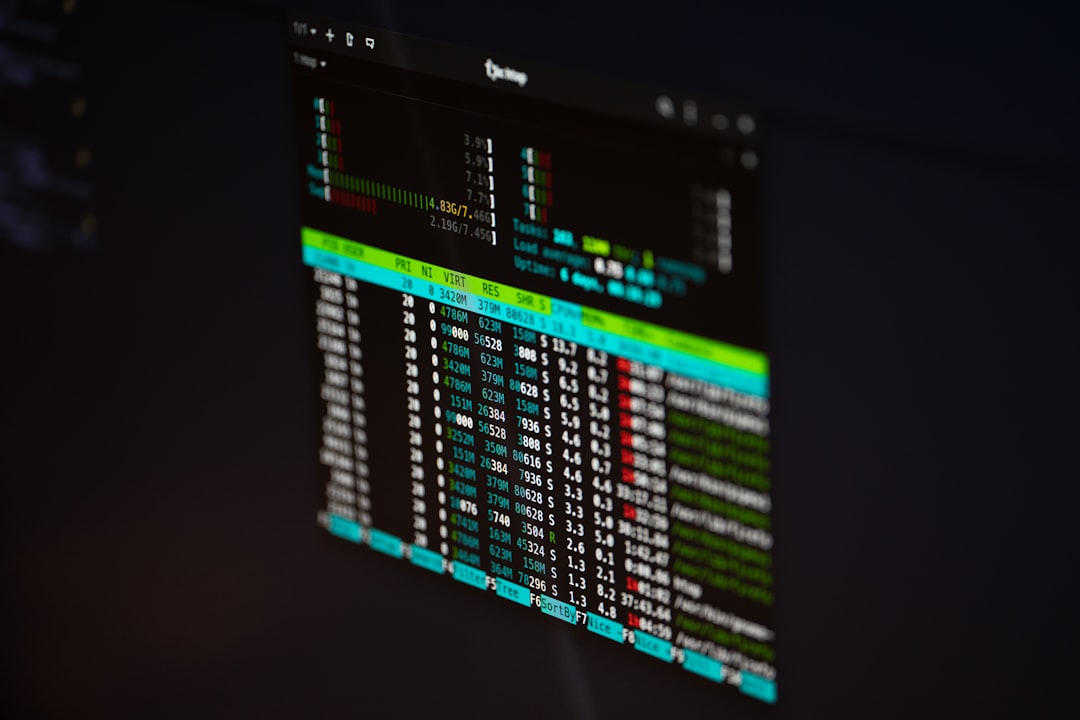
- Monitor real-time performance: Identify CPU or RAM bottlenecks.
- Keep software updated: Security patches improve stability.
- Optimize game settings: Use driver updates and disk optimization together.
- Schedule automatic scans: Prevent performance degradation.
Why Choose an Integrated Optimization Ecosystem?
While many free tools exist individually, using an integrated ecosystem like IObit’s comes with significant advantages:
- Compatibility across tools
- Centralized user interface
- Coordinated system scans
- Reduced risk of conflicting utilities
Instead of juggling multiple unrelated programs, you gain a cohesive solution designed to work seamlessly together.
Maintaining Performance Long-Term
Optimization is not a one-time event—it’s an ongoing process. Systems naturally accumulate clutter with regular use. By setting automated schedules, performing routine maintenance, and keeping drivers updated, you ensure consistent performance.
Think of it like maintaining a car. Regular servicing keeps everything running efficiently and prevents larger, more expensive problems down the road.
Final Thoughts
Your PC is an investment—whether for work, creativity, or entertainment. Letting it slow down due to neglect reduces productivity and enjoyment. With the right tools and a consistent maintenance routine, you can restore speed, stability, and responsiveness.
IObit’s optimization suite provides a practical, user-friendly way to achieve peak performance without requiring technical expertise. From cleaning junk files to updating drivers and protecting against malware, these tools work together to give your computer a fresh lease on life.
Don’t wait for crashes or unbearable lag to take action. Optimize today—and enjoy a faster, smoother PC experience every time you power on.